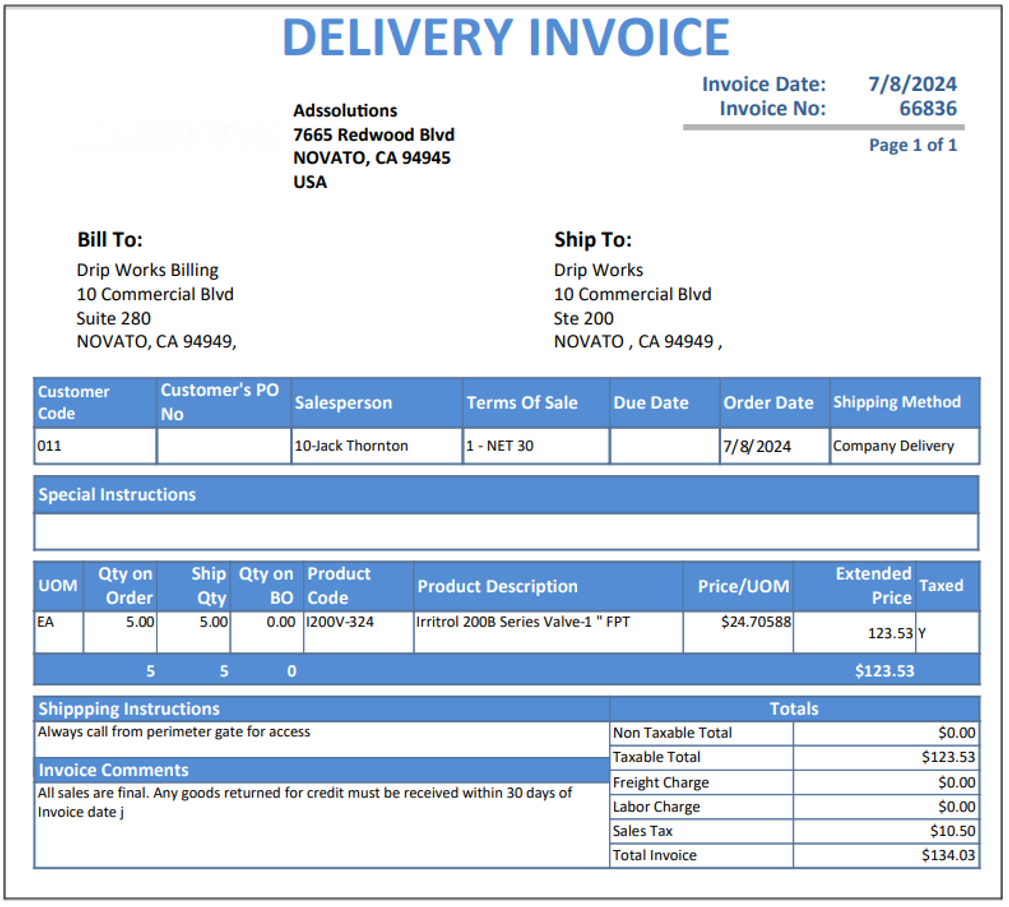
Accolent ERP allows the use of Pick Tickets as well as Pro Forma Invoices (which print out with the title Delivery Invoices). Both Pick Tickets and Pro Forma Invoices are available for orders in fulfillment. For example, if there are no Back Orders and payment is collected from the customer before the goods are picked (e.g., Lumber yard), print both the Pro Forma Invoice against which the customer can pay and the Pick Ticket for the yard to assemble the order. Then subsequently move the transaction to Invoice.
Configuration Setting
- Go to Settings > System > System Configuration.
- Config ID 68 controls whether both Pick Tickets and Pro Forma Invoices are available in fulfillment or Pick Tickets only.
- Set Config ID 68 to “Y” to have both the Pick Ticket and Pro Forma Invoice available.
- Set Config ID 68 to “N” to have only the Pick Ticket available.

Printing Single Pick Ticket and/or Pro Forma Invoice
- Create Order and move to Fulfillment.
- From the List Fulfillments screen, click on Print icon to bring up the Print Options screen.
- Either one or both Pick Ticket and Pro Forma Invoice may be printed.

- If the Config ID 68 setting was “N”, only the Pick Ticket would show on the Print Options screen
Printing Multiple Pick Tickets and/or Pro Forma Invoices
- To print multiple Pick Tickets or multiple Pro Forma Invoices, use filters to select list and mark using the checkbox on the left of the screen.
- For example, select by Date for Pick Tickets or by Customer, Delivery Route or Batch for Pro Forma Invoices.
- Once orders are selected, click on the Print button in the screen toolbar to print selected Pick Tickets.
- Or click on the Print Proforma Invoices button to print selected Pro Forma Invoices.

Pick Ticket
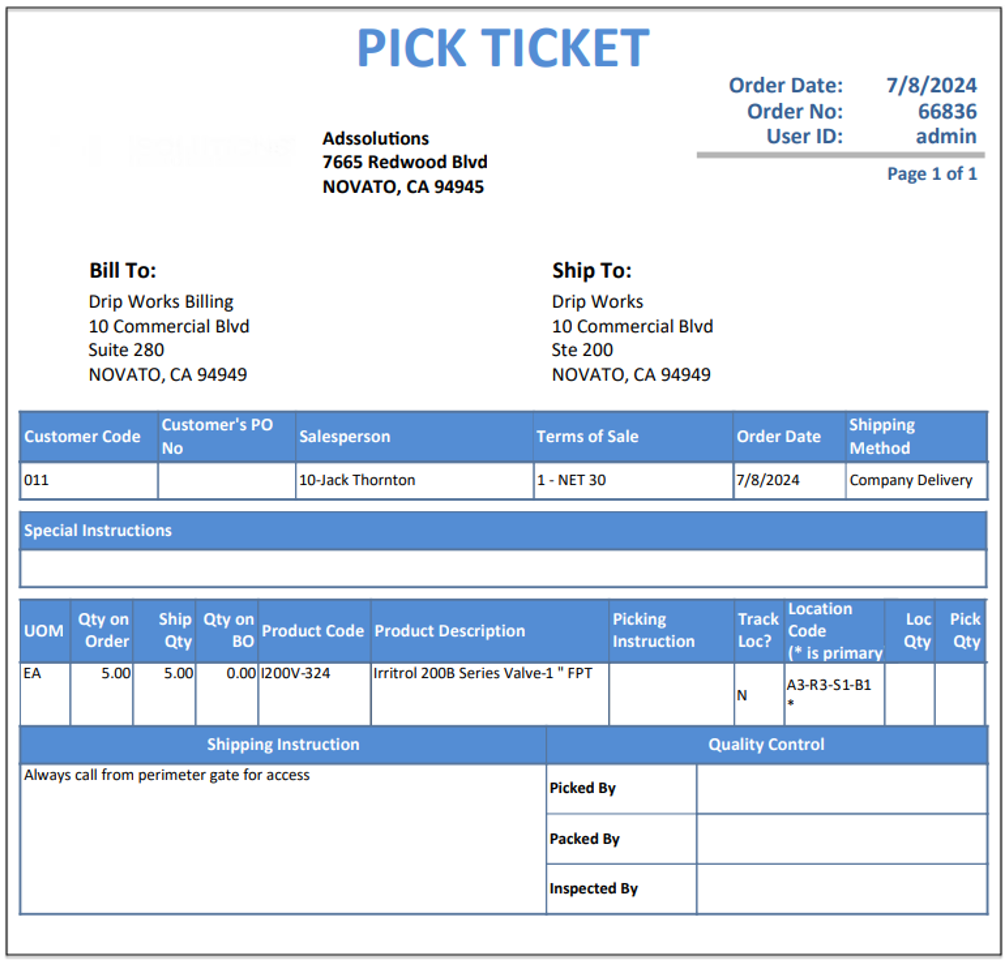
- A pick ticket is produced automatically when an order is moved to fulfillment.
- The purpose of the pick ticket is to allow warehouse personnel to get all the items ordered off the shelves as efficiently as possible.
- Orders may be batched together and pulled off the shelves using a master pick ticket.
- The pick ticket shows warehouse location information, but no pricing information.
- If picking instructions have been added to products, these will appear on the pick tickets.
Pro Forma Invoice
- A pro forma invoice is produced automatically when an order is moved to fulfillment.
- The proforma invoice shows pricing information just as an invoice would and can be used as an order confirmation or to collect payment from a customer.
- Note that both the pick ticket and the pro forma invoice will initially reflect the automatic system-assigned or user-edited BO quantities. Any changes to these quantities as a result of picking, will update the pro forma invoice only when the order in fulfillment is saved. So, pro forma invoices are typically printed after the order is picked, packed and ready to ship.
- Many users that deliver to their customers send the goods with a pro forma invoice which prints with the title of Delivery Invoice.
- Since the transaction remains in fulfillment, any changes requested/made by the customer upon delivery, can easily be reflected before the transaction is moved to Invoice.
- The alternative would be to first create the Invoice; then to make any subsequent changes, the invoice would need to be unconfirmed (back to fulfillment), edited and reconfirmed.