
Accolent ERP provides the ability to access the product master record from within an order. You might wish to do this, for example, to look up detailed information on the product such as sales history, sales history by customer or PO history – without getting out of the order.
Creating an Order
- From the menus select Sales > Orders > Create Order to create a new order.
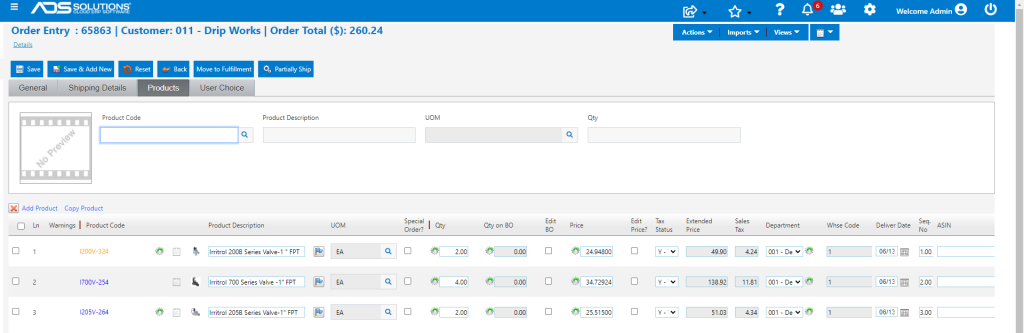
- On the General tab, enter or lookup the Customer Code and fill out all the required fields – most will default from the Custom master.
- Then go to the Products tab to enter the products on the order.
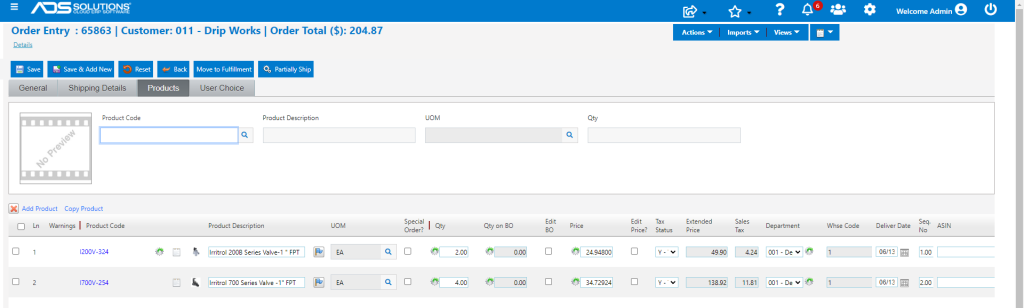
- As lines are added to the order, the Product Codes will be marked in blue indicating that these are hyperlinks
Opening the Product Record
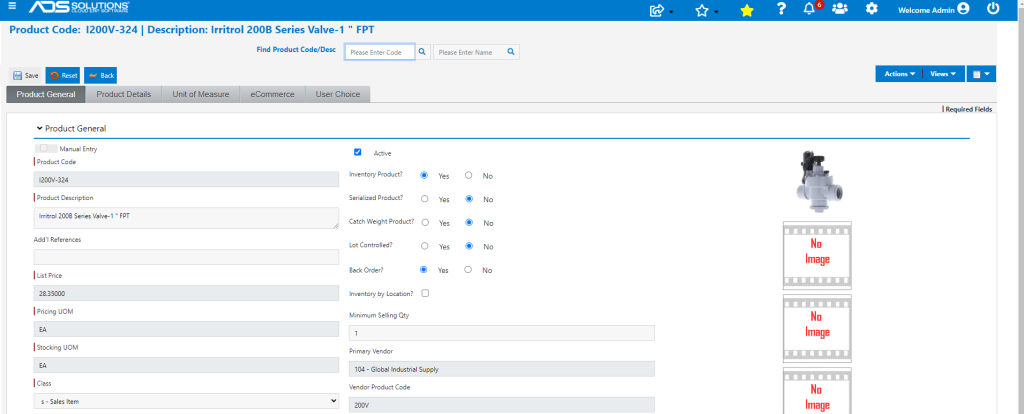
- To open the product record in a new browser tab, click on the hyperlink for the Product Code I200V-324.
- From the product record all the information in the system about this product including all the information available under the Actions and Views menus is directly accessible.
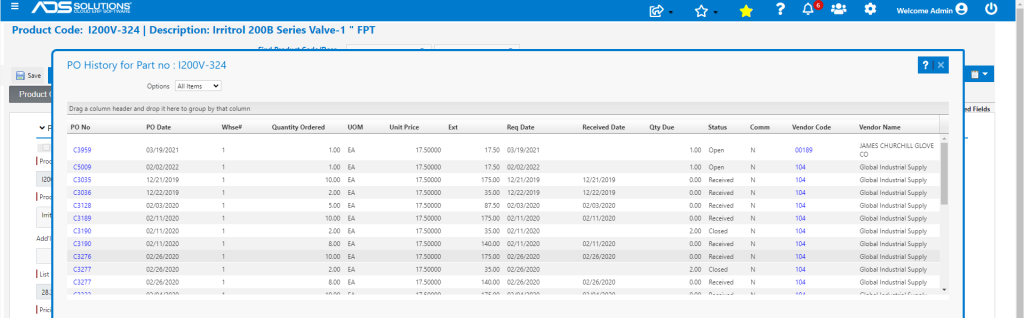
- For example, select Views > PO History to see the PO History for this product I200V-324.
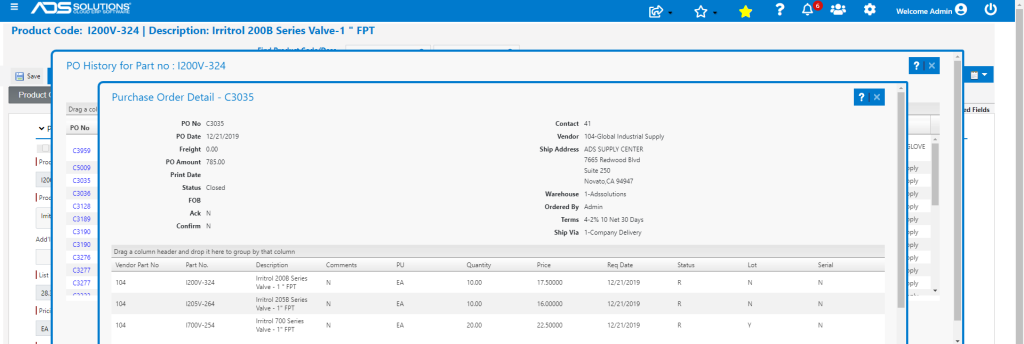
- To drill down further, for example, to see the details of PO No C3035 click on the hyperlink.
- To return to the order click on the original browser tab to pick up where you left off. The product browser tab remains open.
- Continue entering lines on the order; for example, enter a new line for Product Code I205V-264.
Warning about using Multiple Browser Tabs
- When using multiple browser tabs, care should be taken not to overwrite your own work.
- All open browser tabs are part of the same user session and so if the same functionality is being accessed on two different browser tabs this will cause errors.
- For example, having two orders open for different customers in two different browser tabs will cause SERIOUS ERRORS.
- The best practice is to use the multiple browser tabs to look up information but then when done, CLOSE THE ADDITIONAL BROWSER TAB when you return to the original tab.