
Accolent ERP supports product images throughout the system. Each product can have up to 9 images. Amazon’s shopping cart can accept up to 9 images, although only 7 are displayed. Product images are stored in AWS S3 and should be JPG or PNG image files. Product images can be imported using the Bulk Imports or entered and managed one at a time from the product master. Once uploaded the product images appear on all transaction screens.
Product Images
- Product images are available throughout the Accolent ERP system.
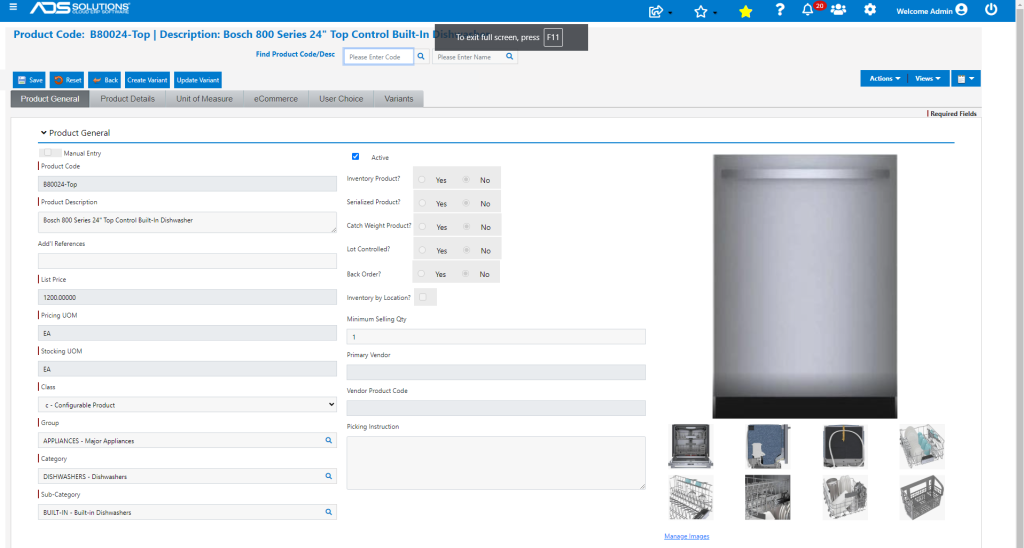
- Accolent ERP accepts up to 9 images for each product, one main image and eight smaller thumbnail images.
- Product images are stored by Accolent ERP in AWS S3.
- Product images should be named based on the product code with a suffix.
- Images can be uploaded using the bulk imports or can be uploaded directly one at a time from the product master.
Bulk Upload
- The Bulk Upload is available from Utilities > Imports > Bulk Imports.
- First the images needed to be uploaded to AWS S3, then the images need to be linked to the products in Accolent ERP.
Manual Upload
- Go to Inventory/Products > Products, select a product.
- To add an image or to change an image, click on the Manage Images
- To upload an image, click on the Upload button and select the image to upload.
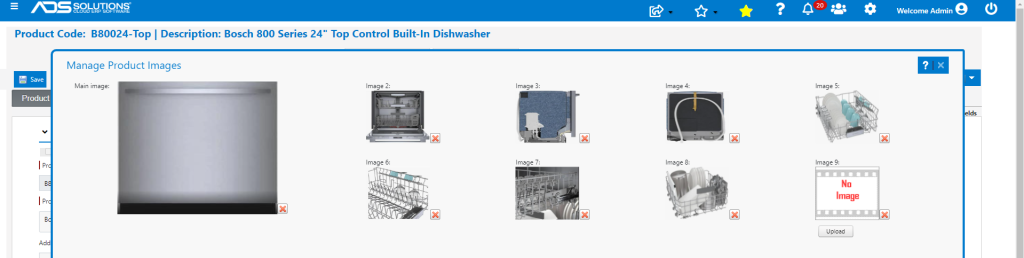
- This will allow you to select the image from anywhere in your network.

- Select the image and then open to upload.
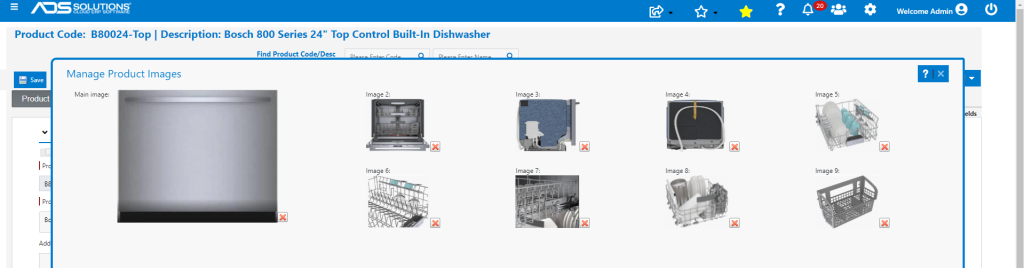
- The image will now show on the product’s general tab.
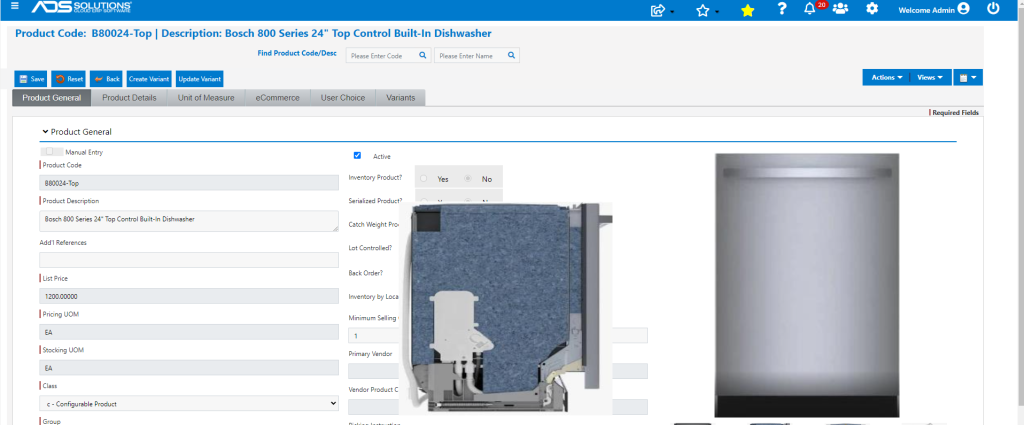
- Rolling the mouse over any image expands the image.
Product Images Available for eCommerce
- Images uploaded into Accolent ERP will also be immediately available in the eCommerce applications: Accolent Self-Service Portal and, depending on the API linkage, will also appear in any linked Online Stores.
- Amazon permits up to 9 images but displays only 7 on its online store.
- Other eCommerce platforms typically allow fewer than 9 images, but this varies from platform to platform.
Product Image Specifications
- Supports product images in JPG or PNG format.
- Can support image file sizes from 40 KB to 100 KB; it is not recommended that you have image file sizes greater than 100 KB.
- Can accept images with any dimensions but the images will be rendered in Accolent ERP screens in a 128 x 128 frame.
- Image files that are 48 KB with dimensions ranging from 320 x 220 to 350 x 300 will work best.