
Accolent ERP allows users to copy one Product record to another. There are also choices to change a Product and/or to delete a Product, but these are not used as frequently. Within the copy Product choice, there are various options available to specify what data to copy over. This copy capability could be used, for example, to create a template which can then be subsequently modified as needed.
Copy, Change or Delete Product
- Go to Inventory/Products > Products > Manage Products > Copy or Change a Product.
- Available choices are to Copy Product, Change Product or Delete Product.
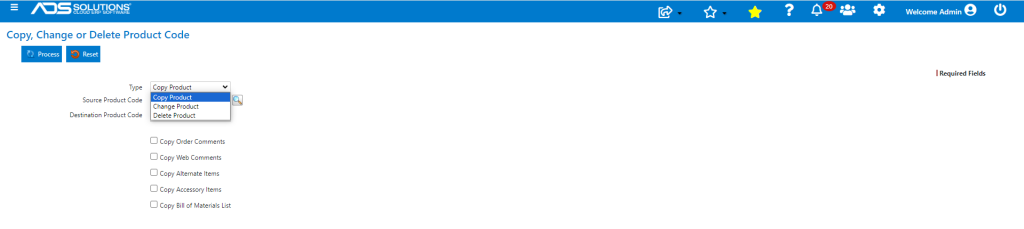
Copy a Product Record
- Select Copy Product.
- Enter Source Product Code and Destination Product Code.
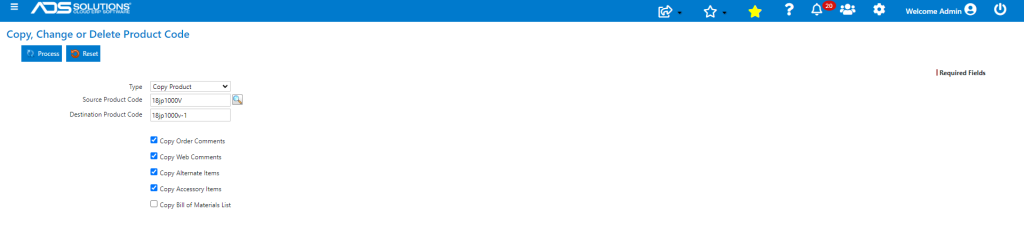
- By marking the checkboxes as appropriate, select what to copy from the Source Product Code to the Destination Product Code.
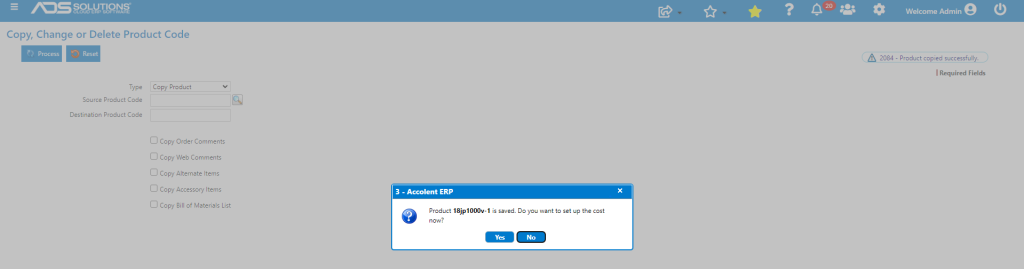
- Click Process to create the new record.
Change Product
- Select Change Product.
- This is used only if a Product Code needs to be altered.
- There is an option to retain the old Product Code as a synonym.

Delete Product
- Select Delete Product.

- There are options to not delete the product if there is Inventory or Accessory Products defined.