Accolent ERP offers multiple pricing options: contract pricing, promotional pricing, price lists, quantity breaks, warehouse discounts and special pricing. Many of these pricing options can be combined and used together. Depending on the pricing options set up for the customer, the product, the UOM, quantity and the warehouse, will yield a specific calculated price that will default into a new quote or order. At any time, the user can choose to manually override the calculated price. If manually overridden, the system will not recalculate the price for that quote or order as it moves from quote to order to fulfillment to invoice.
Create Quote
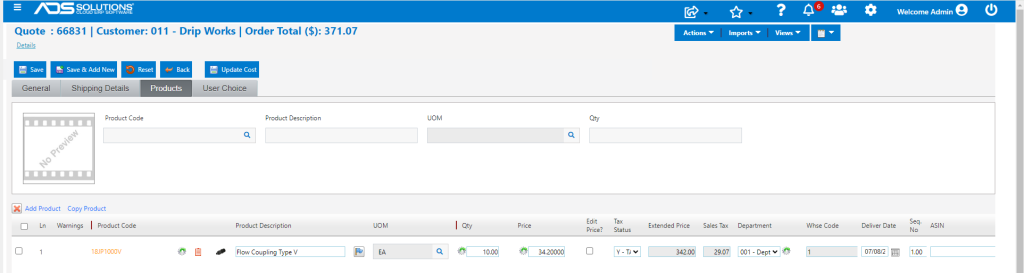
- Create quote 66831 for customer 011.
- Applicable discount based on price list and customer’s pricing tier is 10% off list price.
- The List Price for this product is $38.00, less a 10% discount yields a net price of $34.20.
Override Price
- Unless overridden, the calculated price will be recalculated when the quote is moved to order and then again when the order is moved to fulfillment, in each case, to reflect the then current pricing (price increases, new contracts, quantity breaks, etc.).
- To override the $34.20 calculated unit price on this quote, select the Edit Price? checkbox
- For example, override the price to enter $30.00 as the unit price.
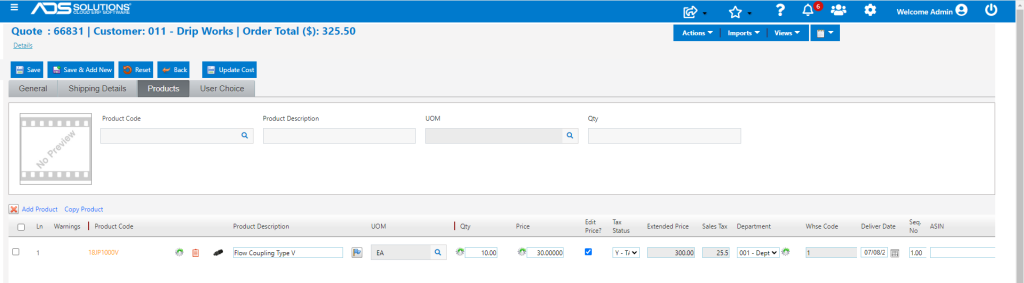
- The quote will then be saved with the manually entered unit price of $30.00.
Move to Order
- Once quote is accepted, move to order.
- The order will not recalculate the unit price but will preserve the manually entered unit price.
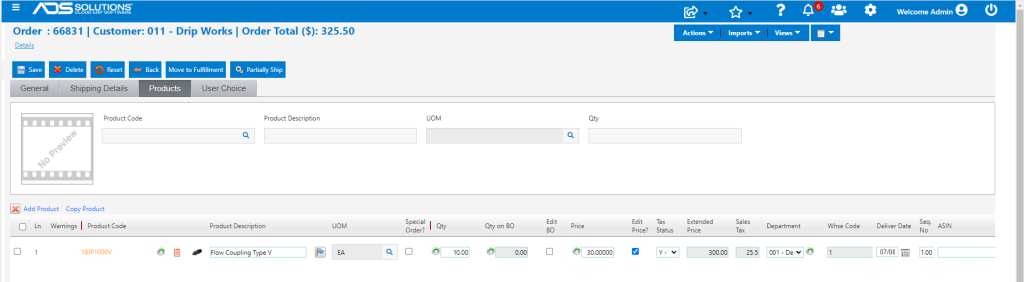
- If the order quantity is changed, the unit price will not recalculate – even if a new quantity break level is tripped, but instead will preserve the manually entered unit price.
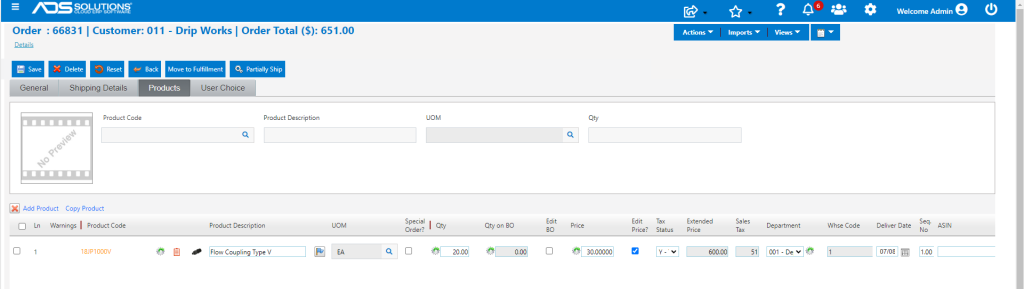
Move to Fulfillment
- As with moving to an order, when moved to fulfillment, the unit price will not recalculate but instead will preserve the manually entered unit price.
- Even if quantities are split off as a back order, the manually entered unit price will be preserved on the back order.

Move to Invoice
- Move the transaction to invoice.
- The manually entered unit price will be preserved on the invoice.
- The invoice total is $651.00 including $51.00 of sales tax.

Saved Pricing is Unchanged
- The manually entered price on quote 66831 will not affect calculated pricing of the same product to the same customer on another quote until the pricing structure is changed.
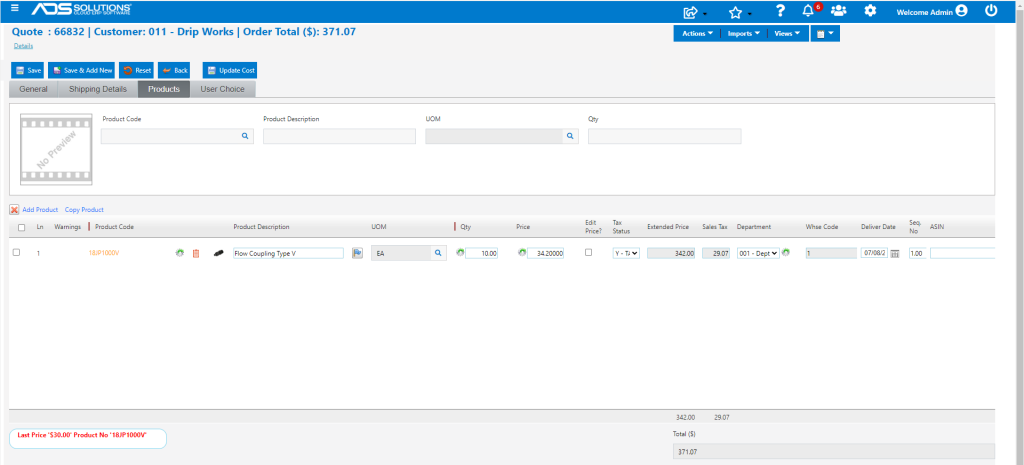
- For example, enter quote 66832 for the same customer, product and quantity.
- The calculated unit price is $34.20.
- Note that the bottom of the screen shows that the last invoiced sale was at $30.00