
Accolent ERP supports faxing through fax-by-email services. Given the declining use of faxing technology and the declining number of third-party fax servers available, fax-by-email technology is the most robust and cost-effective solution currently available. Faxing through a fax machine over a telephone line is not supported.
Fax-by-Email Service
- In order to send faxes through Accolent ERP, you will need to sign up with a fax-by-email service provider (such as eFax, or Nextiva).
- Using a fax-by-email provider eliminates the need for a local fax server and fax phone line.
- Your fax-by-email provider will send notifications of successful and unsuccessful faxes depending on your settings.
- This is how fax-by email works:
- Your fax-by-email service will have an Account Name and Password and will be associated with a primary email address (“Sending Email Address”).
- The fax-by email service will specify an email suffix (e.g., for eFax this is @efaxsend.com and for Nextiva this is @nextivafax.com).
- To send a fax by email Accolent ERP will send an email to recipient’s fax number followed by the suffix (e.g., 14151234567@efaxsend.com or 14151234567@nextivafax.com) from the Sending Email.
Configuring Fax Settings
- To set up faxing in Accolent ERP you will need to provide:
- All required email settings.
- Fax-by–email service provider’s email suffix.
- Sending Email Address (which must be registered with your fax-by-email provider as an authorized sending account).
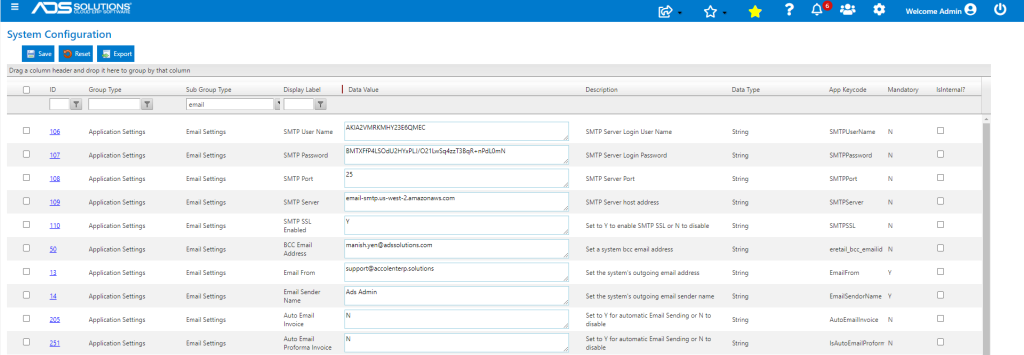

- Once these configurations are entered and saved, Accolent ERP will be able to send faxes by email.