
Accolent ERP allows the specifying of a Vendor and a Sub-Vendor on a voucher. This functionality has several possible uses, but most commonly is used to pay vendors by credit card. Another use case might be where a blanket PO is issued to a main vendor who then assigns specific items to other vendors who are paid directly from Accolent ERP.
Create a Voucher
- Create a new voucher to pay Vendor 104-Global Industrial Supply using American Express.
- Both Global Industrial Supply and American Express will need to be set up in the system as vendors.
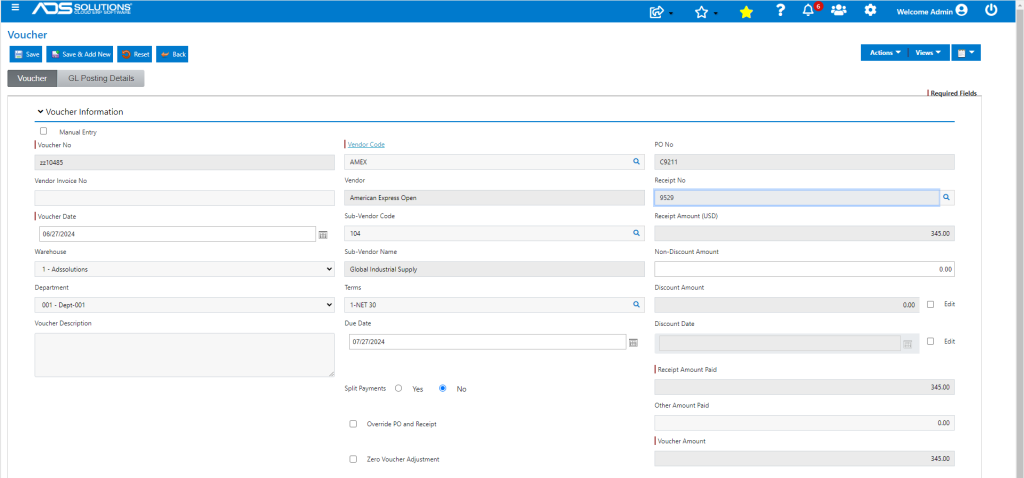
- The vendor that receives the payment from Accolent ERP (in this case American Express) is the “Vendor” and the other party (Global Industrial Supply) is the “Sub-Vendor.”
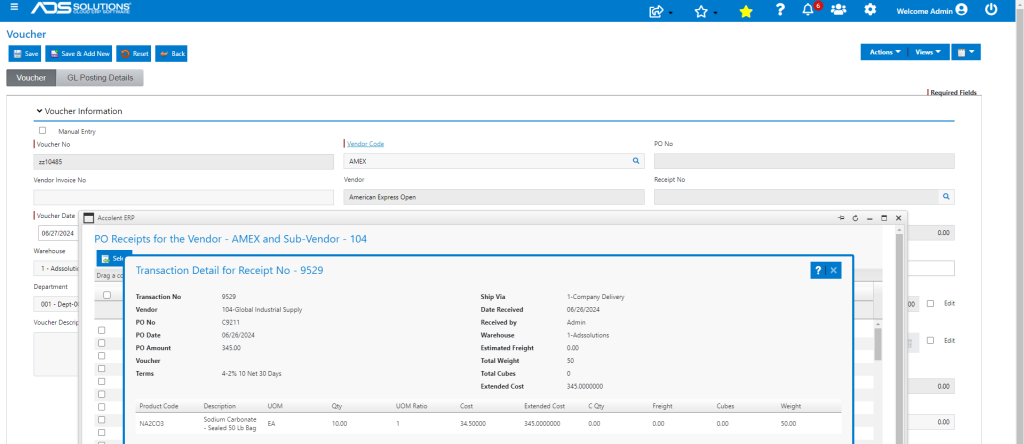
- Look up PO Receipts to see Receipts for both Vendors AMEX and 104 and select Receipt No 9529 for Vendor 104.
- Complete entry of the Voucher.
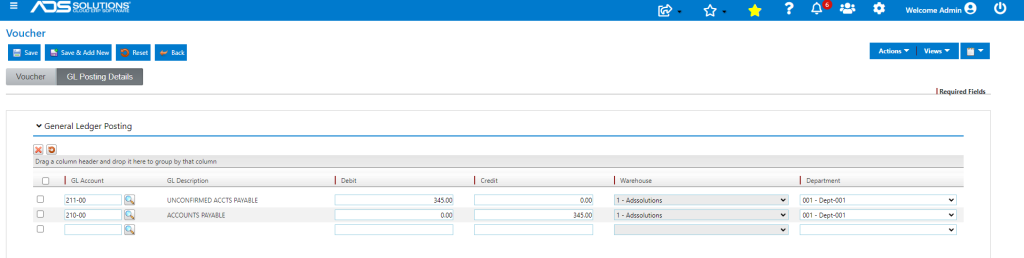
- GL posting may have to be entered manually since default for Vendor AMEX may not exist.
Payment of Vendor
- Voucher is now made.
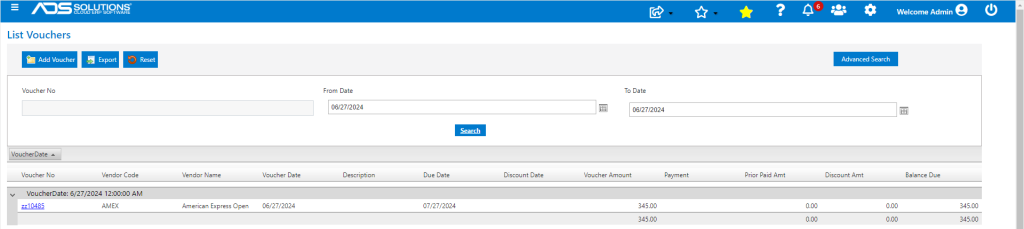
- Upon receipt of the Amex bill, make Vouchers for all items on the credit card statement.
- Each credit card charge item should have its own corresponding voucher.
- Create vouchers for any financing charges or cash back items.
- Then Vendor AMEX can be paid.
AP Aging Report
- The AP Aging report shows Vendor and Sub-Vendor.
- Running the AP Aging Report for Vendor AMEX will show the Voucher.
