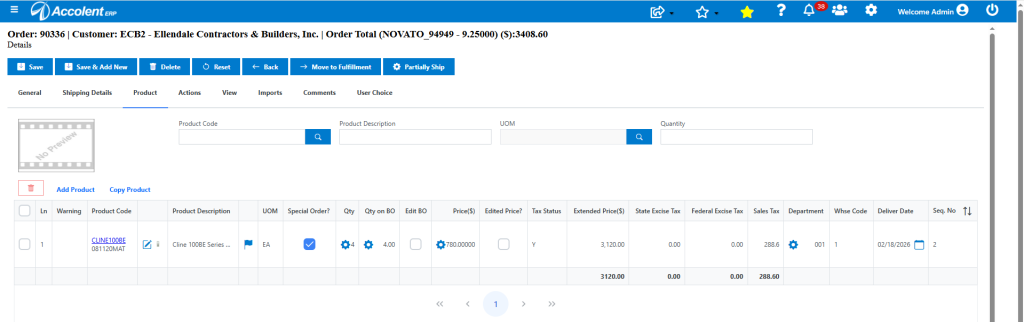
Accolent ERP supports the use of the CSI (Construction Specifications Institute) Codes, that are the most widely used cost classification system used in the construction industry. For example, CSI Code 08 11 20 MAT refers to Aluminum Doors and Frames-Materials. In Accolent ERP, a Category 081120MAT for Aluminum Doors & Frames-Materials can be set up and associated with specific Sales and COGS GL Accounts. The GL postings will then all be made by CSI Code and Cost Type.
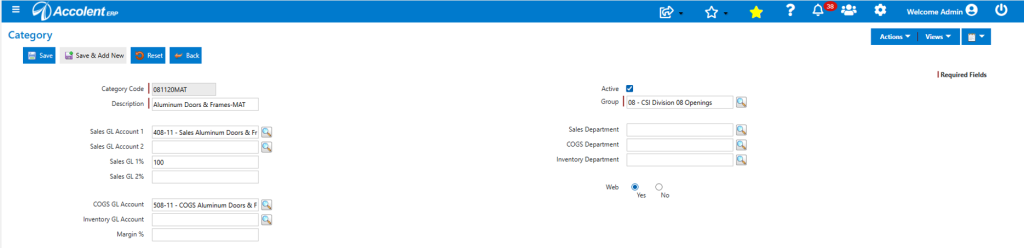
Create Category
- Create the Category 081120MAT-Aluminum Doors & Frames-MAT linked to Group 08-Openings.
- The Category Code is the same as the CSI Code and can be directed to post to a specific Sales GL Account, a COGS GL Account and an Inventory GL Account.
- Whenever any products in this Category are sold or purchased, the posting will automatically be made to the specified GL Accounts.
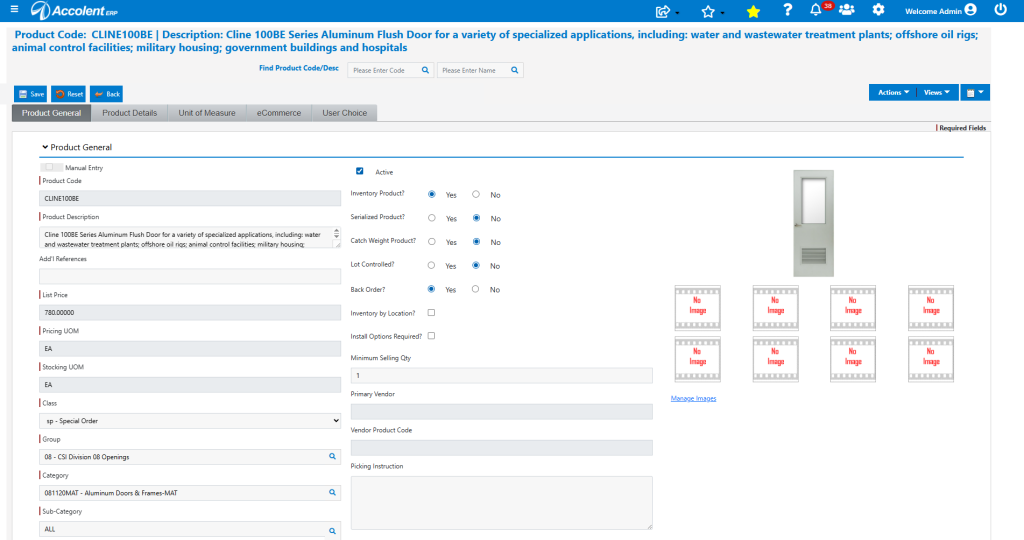
Create Product
- Create Product CLINE100BE – Aluminum Flush Door with half louver.
- The Category associated with this product will be 081120MAT which corresponds to CSI Code 08 11 20 and Cost Type MAT.
- Similarly, a non-inventory Services item can be created for Labor-Doors & Frames and associated with Category 081120LAB which corresponds to CSI Code 08 11 20 and Cost Type LAB.
Set Config Setting
- Go to System Configuration > Application Settings > CSI Codes > Show CSI Codes, and set ID 303 to Data Value of Y to enable display CSI Codes.

Display CSI Code
- If Config ID 303 is set to Y, then in Order, Fulfillment, Invoice and POs show the Product Code above the CSI Code.
- In the Products grid this will appear like this: