
Accolent ERP allows for the creation of Reverse BOMs to break down a BOM product into its components. The components will typically have different standard costs and so, the actual cost of the BOM product being broken down is distributed among the components on the basis of the proportion of each component’s extended standard cost to the total extended standard cost of all of the components. Reverse BOMs can accommodate simple or complex BOM products that are, for example, both catchweight and lot controlled, and the components might also be lot controlled, such as in meat packing. Reverse BOMs can also handle standard manufactured BOM products made up of components in specific quantities.
BOM Product
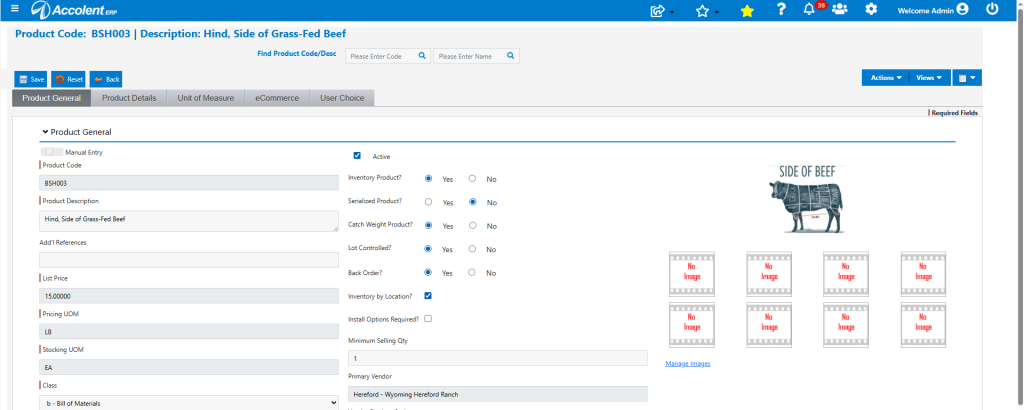
- Start with Product BSH003 – Hind, Side of Grass-Fed Beef.
- The Avg Cost screen and Ledger Card show: Q-On Hand = 2 EA, with Total Weight = 461 Lbs with an Avg Cost = $6.50/Lb.

- The Inventory Status screen shows Q-On Hand = Q-Avail = 2 EA.

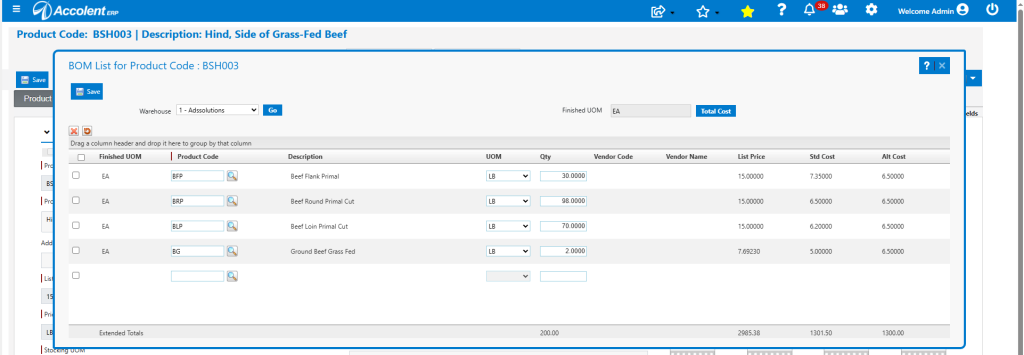
- Go to Actions > Bill of Materials to open the OM List for BSH003
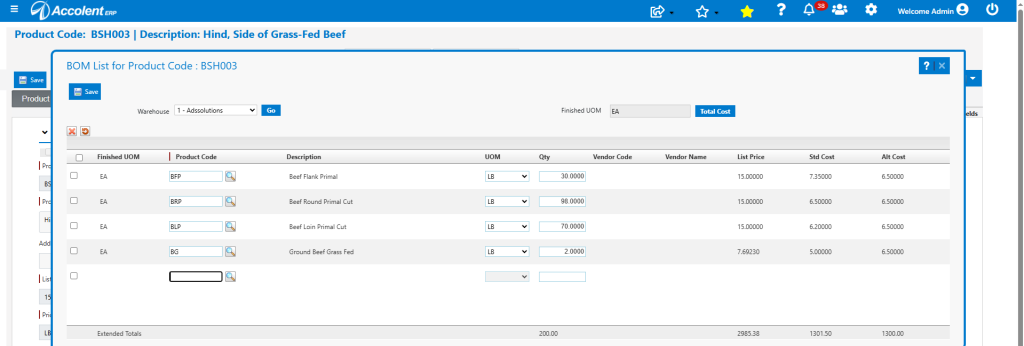
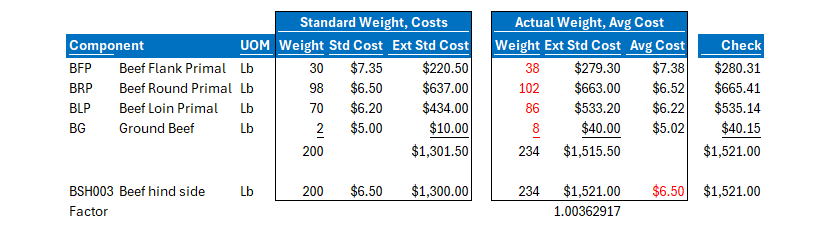
- Note that in this case, Std Cost for BSH003 = $6.50 /Lb and Std Costs/Lb for components are: BFP = $7.35, BRP = $6.50, BLP = $6.20 and BG = $5.00. So, Ext Std Cost for BOM List = $1301.50.
- Note that this extension doesn’t exactly match the Std Cost of BSH003 of $6.50/Lb x 200 LBs = $1300.00 – this is OK, although they should be close.
Create Reverse Batch to Break BSH003 into Components
- Go to Inventory/Products > Bill of Materials > Create Reverse Batch.
- Create Reverse Batch to breakdown 1 EA of BSH003.
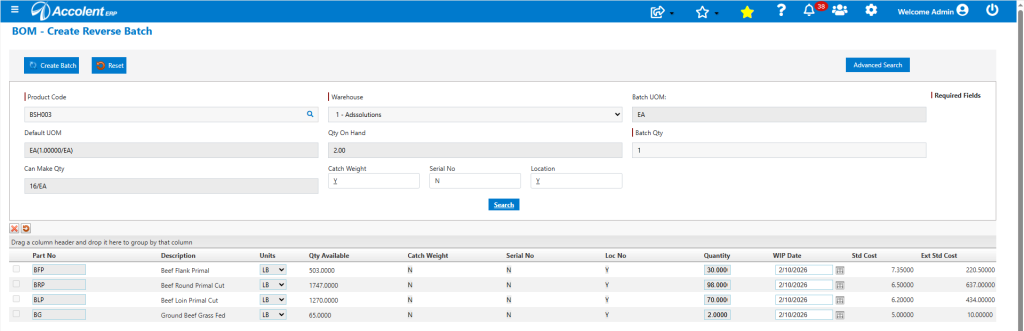
- Select Catch Weight = 234 Lbs and Lot No ytr654. Then Create Batch 569.
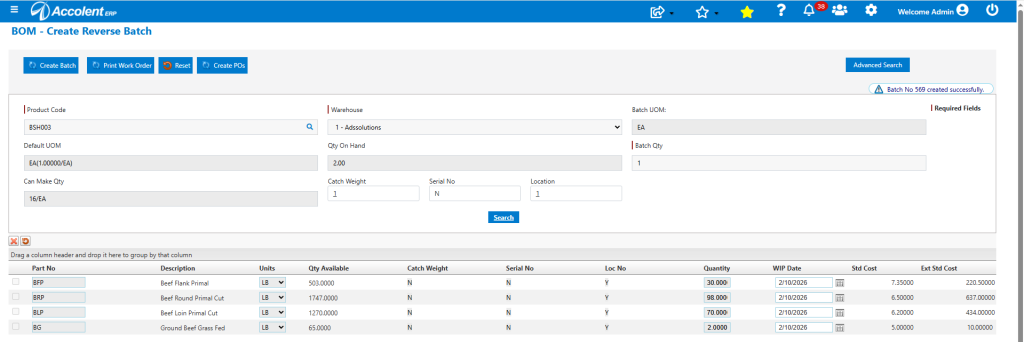
- The List Batches menu opens the BOM Batches screen.
- Then, open Batch 569 to start the break down.
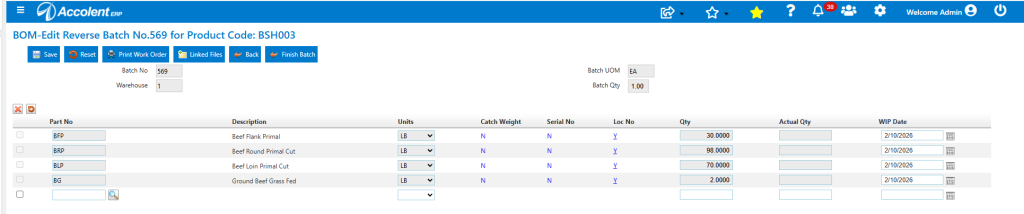
- Click Finish Batch and enter actual quantities.

- Enter Lots and Locations for the Primal Cuts.
- For BFP, select Location A01-200-200, expand to see Lots, select Lot No BFP1021026 – Note that Secondary Lot No automatically defaults in the lot no of the BSH003 carcass (ytr654), the Mfr Date defaults in today’s date (2/10/26) and the Expiry Date defaults in the expiry date of the BSH lot (11/11/25). These defaults may be changed if desired.
- Enter BFP Actual Qty of 38 Lbs.
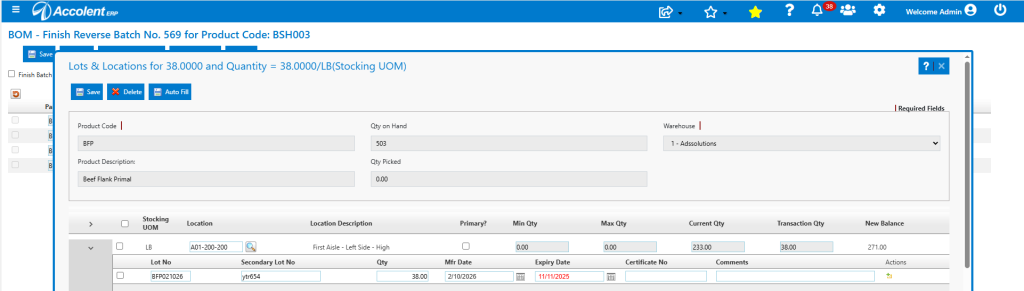
- Then do the same for BRP, BLP and BG.

Finish Batch
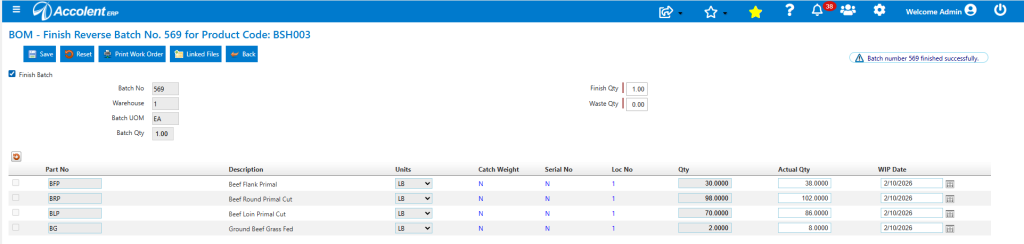
- Click Checkbox to Finish Batch.
- Enter Finish Qty and Waste Qty.
- Then Save to Finish Batch 569.
Decomposition of Cost of BSH003
- BSH003 has an Avg Cost of $6.50 and an Actual Weight of 234 LBs, so Actual Cost of BSH003 = $1521.00
- Ext Std Cost of Components at Actual Weight = [(38 x $7.35) + (102 x $6.50) + (86 x 6.20) + (8 x $5.00)] = $1515.50.
- So Avg Cost Factor = $1521.00 / $1515.50 =1.00363
- Transaction Costs of each Component are assigned as follows:
Inventory and Cost Effects on BSH003
- Look up the Inventory of BSH003: Q-On Hand = 1, Ending Weight = 227 Lb.

- Look up Avg Cost of BSH003: Avg Cost = $6.50/Lb.

Inventory and Cost Effects on Components
- Look up the Inventory of BFP: BOM Qty = 38 Lb, and Ending Weight = 541 Lb.

- BFP Transaction Cost = 38 x 7.35 x 1.00363 = $280.31386.

- Ending Avg Cost of BFP: Avg Cost = [(503 x $6.88494) + 280.31386]/541 = $6.91948/Lb.
- Similarly for all other components.
GL Postings
- Look up GL Posting of Create Batch 569.
- DR WIP Inventory (Components) = $1,521.00 | CR Inventory (BSH003) = $1,521.00.

- Look up GL Posting of Finish Batch.
- DR Inventory (Components) = $1,521.01 | CR WIP Inventory (Components) = $1,521.01.
