Accolent ERP has its own built-in CRM capability which offers most of the basic CRM functionality that distributors need. In addition, Accolent ERP is integrated with PipeDrive (PD), a widely-used, third-party CRM system, through APIs. The integration links the following Accolent ERP fields: Contacts, Customers/Prospects and Salespersons with respectively Persons, Organizations and Owners in PD. The integration is designed to accommodate a typical Salesperson’s workflow which is described in this wiki: Accolent ERP Integration with PipeDrive. Note that different workflows can be accommodated if desired. Salespersons will be able to work in PipeDrive to create Persons, Organizations, Leads and Deals which will sync with Accolent ERP. They will be able to create Quotes in Accolent ERP and link these to the appropriate Deals in PD. Then in PD, they will be able to progress Deals through predefined Sales Stages to completion. Note that the integration with PipeDrive is an optional module that needs to be enabled and requires initial implementation as well as a subscription in order to use it.
Enable Pipe Drive Integration
- To enable the integration, follow these steps:
- Log in to the PD Account with Admin privileges.
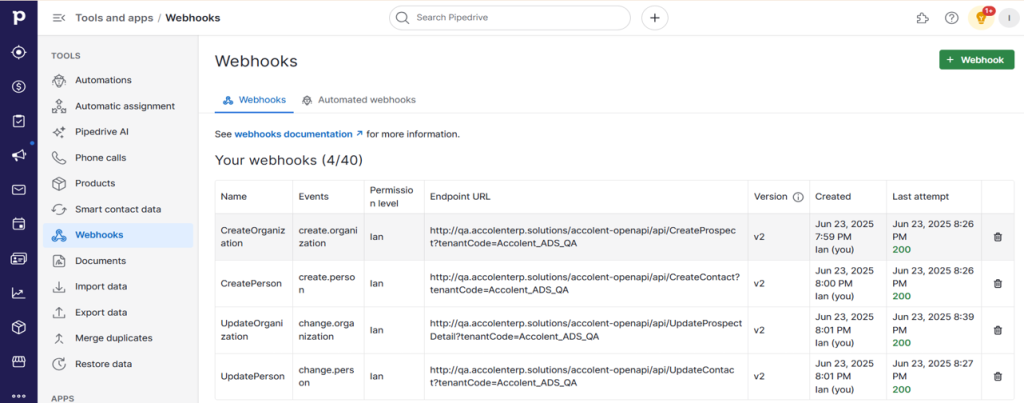
- Navigate to Tools and Integrations > Webhooks.
- Verify that webhooks for “organization.created”, “organization.updated”, “person.created” and “person.updated” are correctly configured and operational in PD.
- Copy the API token that will need to be entered into Accolent ERP.

- Then go to the Configuration Settings in Accolent ERP and update these entries to (i) turn on the integration, (ii) enter the PD endpoint URL and (iii) to paste in the PD API token.

Create Person and Organization and Lead in PipeDrive
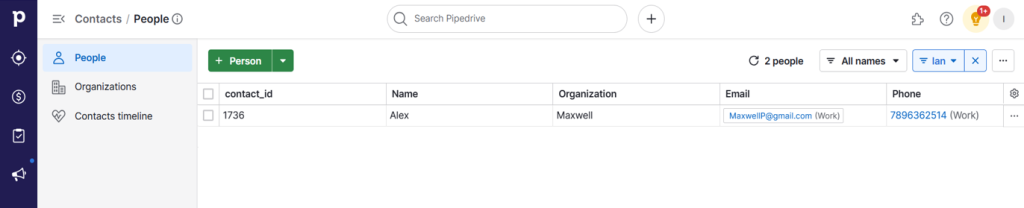
- Create Person Alex, Organization Maxwell and link Person to Organization.
- Create Lead.
- Then create Deal.



Creates the Prospect in Accolent ERP
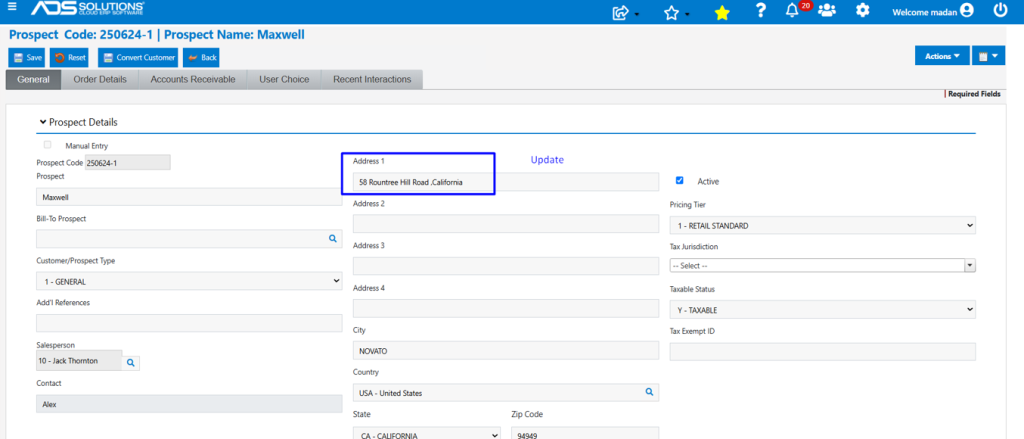
- The integration automatically creates the Prospect Maxwell with Contact Alex in Accolent ERP.
- This is a two-way sync, so that records created in PD are created in Accolent ERP and vice versa.
- For example, add an address for the Prospect in Accolent ERP and this is automatically updated to PD.

- Note that Accolent ERP also has Deals and Sales Stages which work very similarly to these in PD. However, in this integration, neither Deals nor Sales Stages have been integrated with PD currently. If desired, the integration could be extended to include the integration and two-way sync of Deals and Stages. Please contact ADS Solutions if this is required.
- Under the current integration, the PD Maxwell Deal will not be created in Accolent ERP.
Create Quote in Accolent ERP
- A Quote can be created in Accolent ERP for either Prospects or Customers.
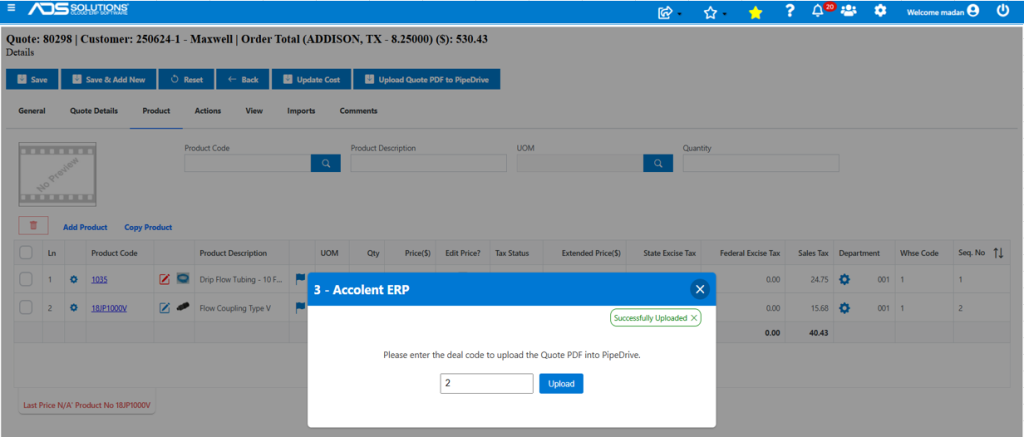
- In this case, the Prospect was first moved to a Customer in Accolent ERP, then Quote No 80298 was created.
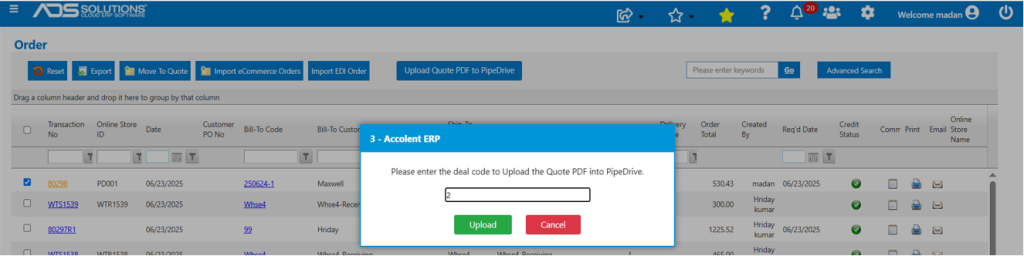
- Then click the Upload to PipeDrive button.
- The user will then need to identify the specific Deal in PD for the quote to be pushed to.
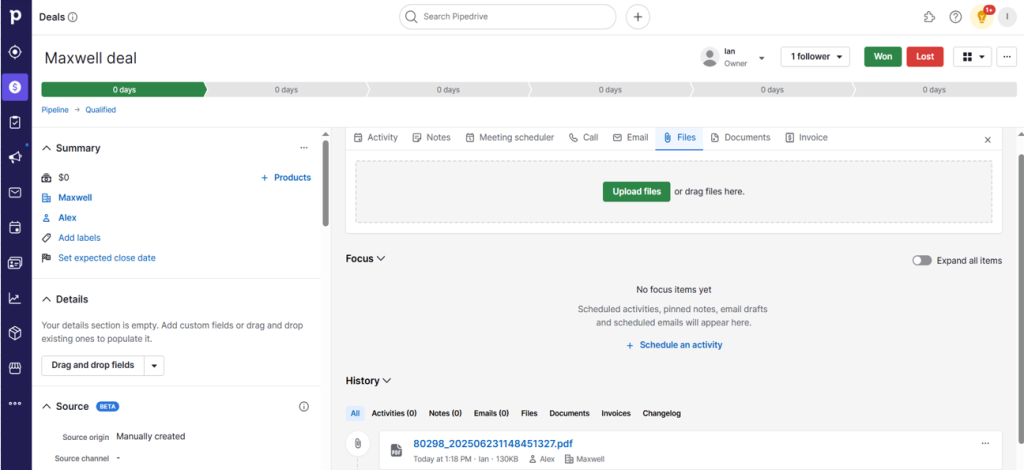
- Then on Upload, the Quote will be linked to the PD Deal.
- The Quote is now accessible on PD.
Move Quote To Order
- In Accolent ERP, once the Quote is accepted the Prospect can be converted to a Customer and the Quote can be moved to an Order.
- In this case the Prospect was already converted to a Customer.
- Move the Quote to Order No 80298.

- Typically, the Deal in PD will be marked as Won prior to the Quote being moved to an Order in Accolent ERP. However, if for some reason the Deal is still open in PD, the Order can be linked to the PD Deal.