
Accolent ERP allows for Labor to be billed to customers on orders. Typically, Labor does not need a specific product to be made. Labor can just be added to orders, and it creates Labor Income but no Labor costs are tracked to orders; instead Labor costs are treated as period expenses. However, there may be cases where Labor costs do need to be tracked to orders. To accomplish this, Labor will need to be treated as an inventory item. This will allow tracking of which specific Labor costs are recorded with orders and these can be offset against the corresponding period expense (i.e., payroll).
Overview
- Typically, no Labor product is needed, and Labor can just be added to an order. In this case, Labor is billed to customers on specific sales orders and creates Labor Income, but with no cost recorded. Instead, the cost of Labor is treated as a period expense.
- If the cost of Labor needs to be assigned to specific sales transactions (e.g., to track profitability of jobs), then Labor will have to be tracked as an inventory item.
- Once Labor is created as an Inventory product, the amount of Labor assigned to sales orders can be tracked and offset against its corresponding period expense (i.e., payroll).
Add Labor to a Sales Order
- Create sales order 67964 for Customer 011.
- Add products.
- Then add Labor of $150.00.
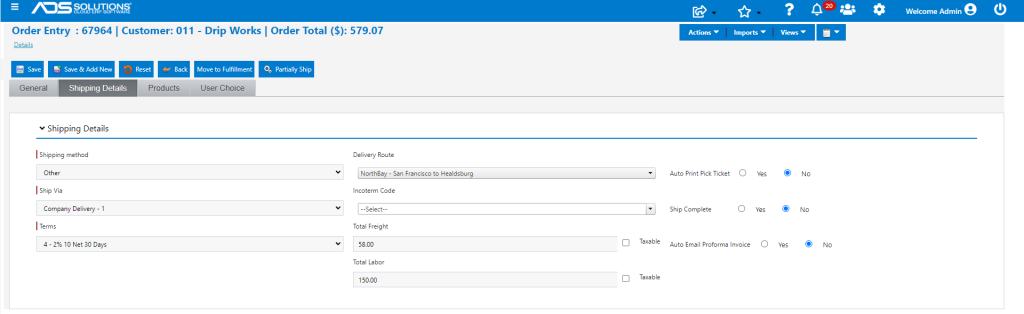
- Move order to fulfillment then invoice transaction.
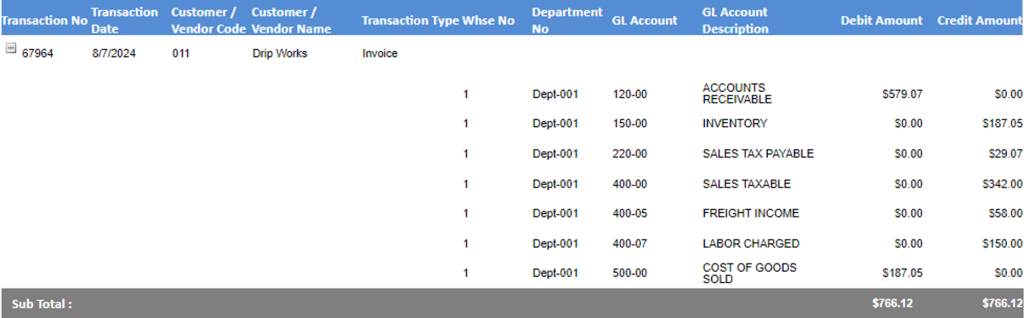
- GL Posting of order 67964 shows no cost of Labor. The cost of the Labor billed will be picked up as part of the normal period expense associated with Payroll.
Tracking Cost of Labor to Orders
- There may be situations in which the cost of Labor needs to be tracked to specific orders; for example, to assess profitability of specific jobs.
- In order to track Labor costs to sales orders, Labor has to be set up as an inventory product.
- Create product “LABOR” as an inventory product to allow usage to be tracked for purposes of allocating costs between COGS and a period expense.
- LABOR has a List Price of $100 /HR and both Standard Cost and Average Cost of $48.50.
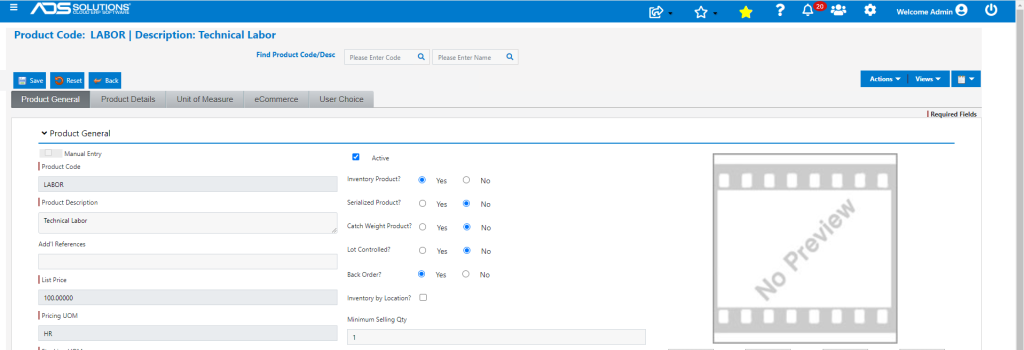
- Standard Cost is $48.50.

- Average Cost is $48.50.

- Create order 67965 for Customer 011.
- Add the same products as previously, but this time add the LABOR product with a Qty of 1.5 and mark as non-taxable.
- Add freight of $58.00 as before.
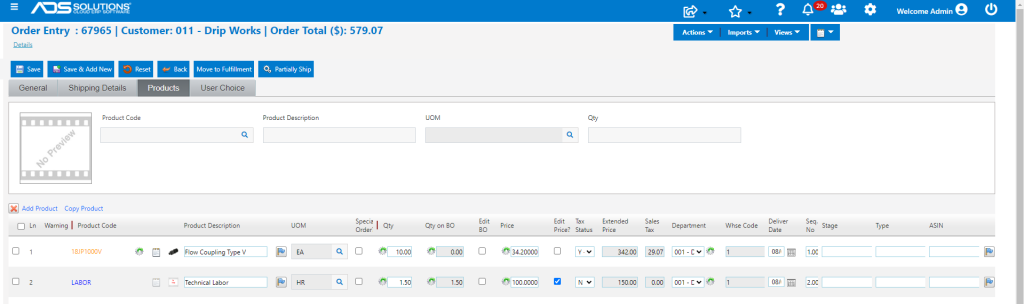
- Now move transaction to fulfillment.
- Product LABOR is backordered.
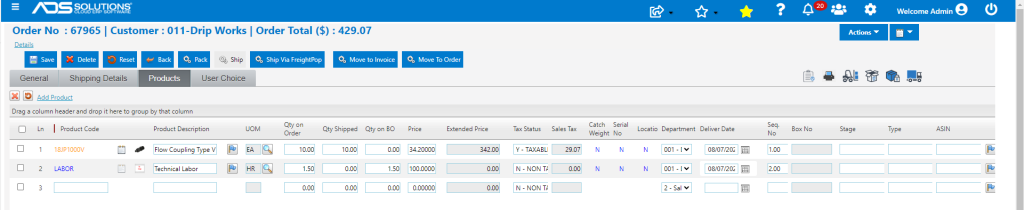
- Override Qty on BO to allow Q-Avail of LABOR to go negative.
- Then move 67965 to invoice.
- Now GL Posting of Invoice 67965 shows Cost of $259.80.
- The Cost is equal to the sum of (1) the extended Avg Cost of Goods of $187.05 (as before) and (2) the extended Avg Cost of LABOR of 1.5 x $48.50 (=$72.75).
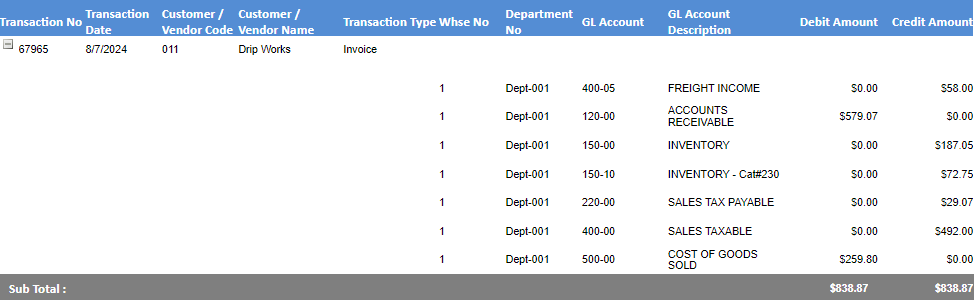
- Since the cost of $72.75 was recorded in COGS, this must be offset against the period expense (e.g., Payroll Expense).
- At the beginning of each month, set QOH of LABOR as zero.
- As a result of invoices entered during the month Q-Avail of LADOR will go negative; for example, on invoice 67965 Q-Avail went to -1.5 HR.
- At the end of each month enter a manual inventory adjust to return the QOH of LABOR to zero.
- The Manual Inventory Adjustment will Debit Inventory of LABOR and Credit the period expense that should be offset (e.g., Payroll Expense).
- In this case the Debit and Credit will be for 1.5 HR x $48.50 = $72.75.
- The end result is that the $72.75 recorded as COGS, correspondingly reduced Payroll Expense.