Accolent ERP supports the practice of optionally charging restocking fees on goods returned for credit. In addition, Freight and Labor charged on the initial sale may be optionally refunded if desired or not refunded depending on the circumstances. If terms-based early payment discounts are to be refunded these may be dealt with separately as part of a refund check.
Create Invoice
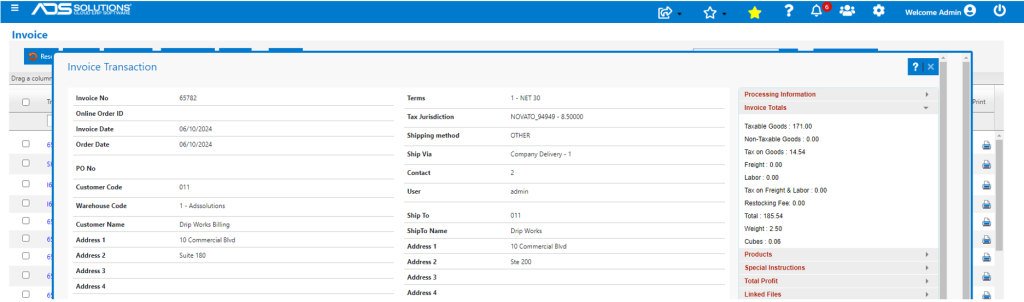
- Create Invoice 65782 for Customer 011.
- The Invoice is for Sales Taxable of $171.00, plus Sales Tax of $14.54 for a total $185.54.
Create Credit Memo
- Now create a two-Step Credit Memo to reflect return of goods.
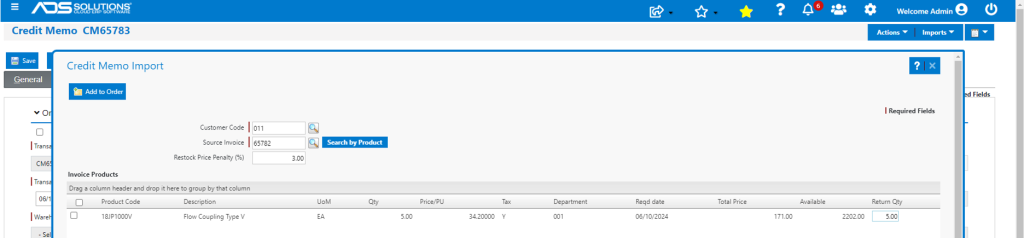
- Import Invoice 65782 for Customer 011 for return of 5 EA x 18JP1000V.
- Optionally add a (say) 3% restocking penalty.
- The GL Account to be used for booking the Restocking Fee is set on the Warehouse GL Defaults.
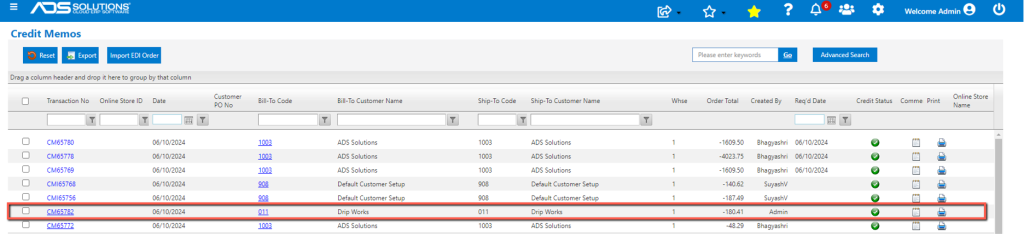
- On save, the Credit Memo is renumbered as CM65782.
- The Restocking Fee is $171.00 x 3% = $5.13 shown under Other Charges on the Shipping Details tab.
- Total Credit Memo is $180.41 reflecting Restocking Fee of $5.13.
- If desired, Freight and Labor can also be refunded on the Credit Memo.

Move to Fulfillment Send RMA
- Move Credit Memo to Fulfillment.
- Print and send or email RMA to customer to authorize return of goods.
- Receive returned goods, verify and then move Credit Memo to invoice status.
- The Credit Memo is then available on the Customer’s AR Record.

GL Posting
- Look up GL Postings of Invoice and Credit Memo.
- Initial Invoice 65782 included Sales Taxable on goods of $171.00 and Sales Tax of $14.54.
- The Invoice total is $185.54.
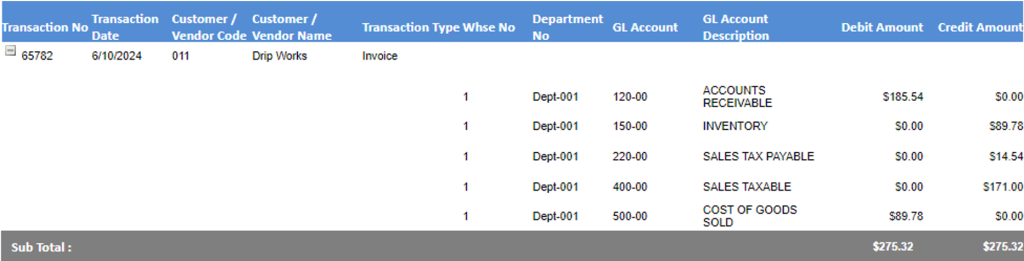
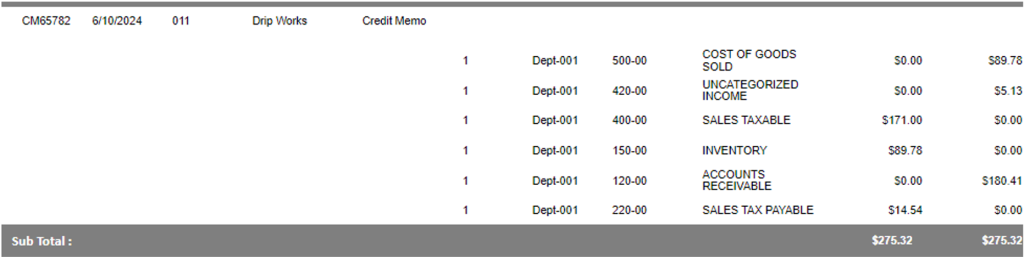
- CM CM65782 includes reversal of Sales Taxable of $171.00, reversal of Sales Tax of $14.54 and reversals of prior COGS and Inventory postings.
- Also includes the Uncategorized Income for the Restocking Fee charged of $5.13.
- Total Credit Memo is -$180.41.