
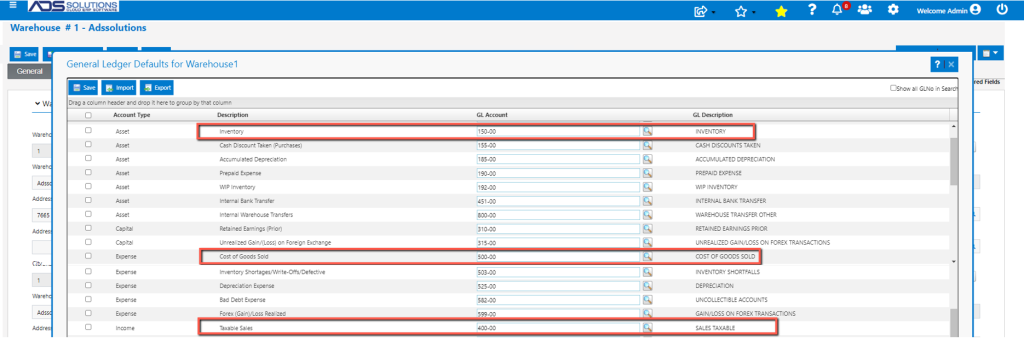
Accolent ERP Sales Journal GL postings typically use the standard GL Accounts specified on the Warehouse GL Defaults. Accolent ERP also allows product line GL Postings to be overridden by Category. In this case the GL Accounts used for postings of sales transactions and purchase order transactions will use the GL Accounts specified on the Category rather than those from the Warehouse GL Defaults.
Category Override GL Accounts
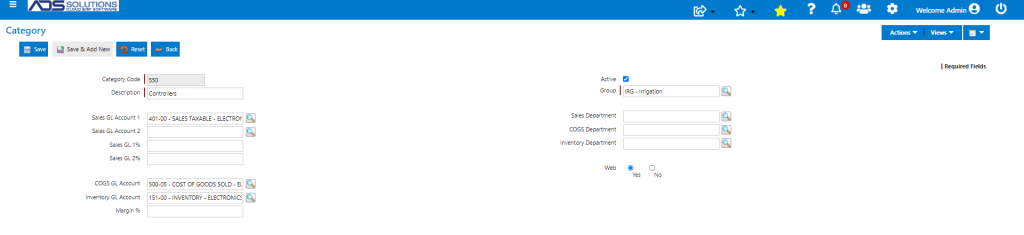
- Category 550 is for Irrigation Controllers
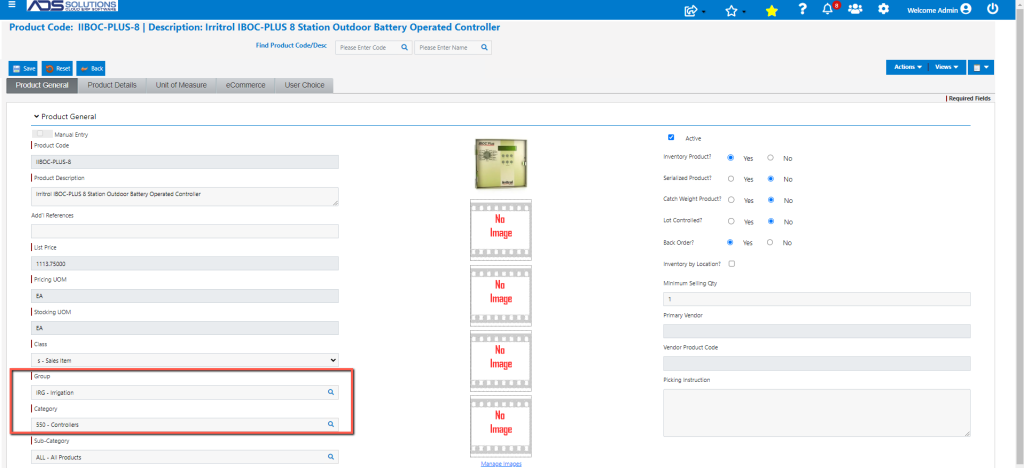
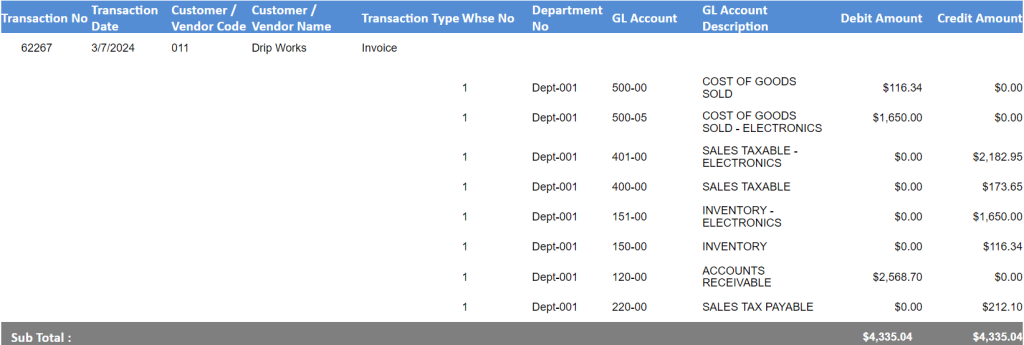
- Category 550 uses the Category GL Account overrides to post sales and purchase transactions to specific GL accounts specified
- Sales Account: 401-00 SALES TAXABLE–ELECTRONICS
- COGS Account: 500-05 COST OF GOODS SOLD–ELECTRONICS
- Inventory Account: 151-00 INVENTORY–ELECTRONICS
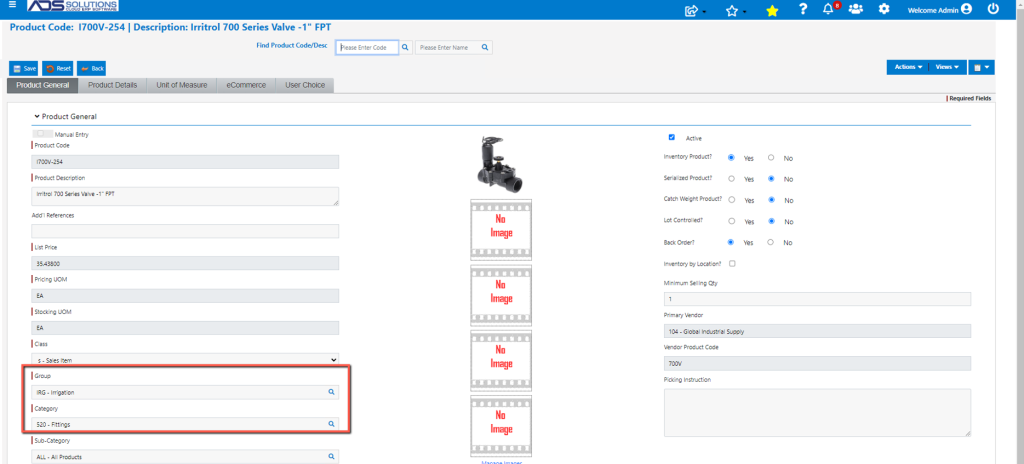
- Category 520 Irrigation Fittings does not use have a Category Override
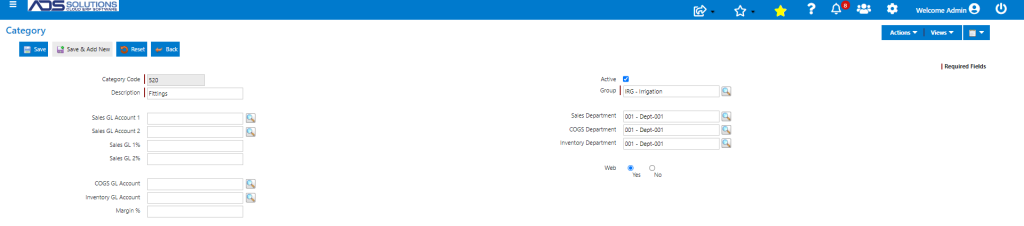
- For a Category that does not use the GL Account overrides, the GL Accounts will be taken from the Warehouse GL Defaults
- Sales Account: 400-00 SALES TAXABLE
- COGS Account: 500-00 COST OF GOODS SOLD
- Inventory Account: 150-00 INVENTORY
Sales Transaction Posting
- Create order 62267 for Customer 011
- Contains one product IIBOC-PLUS-8 that is in Category 550 Controllers and one product I700V-254 that is in Category 520 Fittings
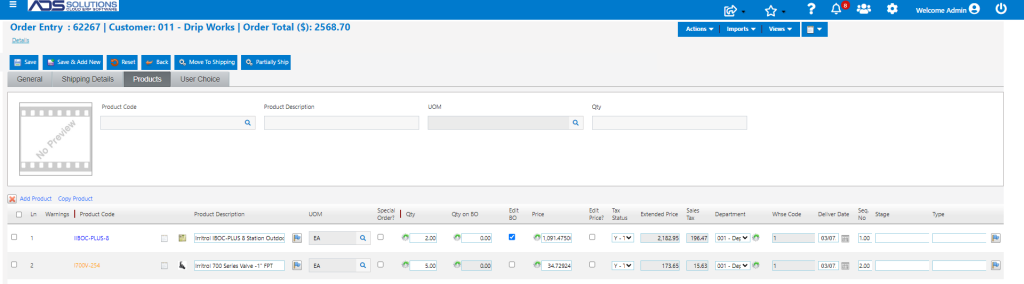
- Move order to shipping then to invoice
- Look up GL Posting
PO Transaction Posting
- Create PO C8534 for Vendor 104
- PO C8518 contains products on Category 550 and Category 520
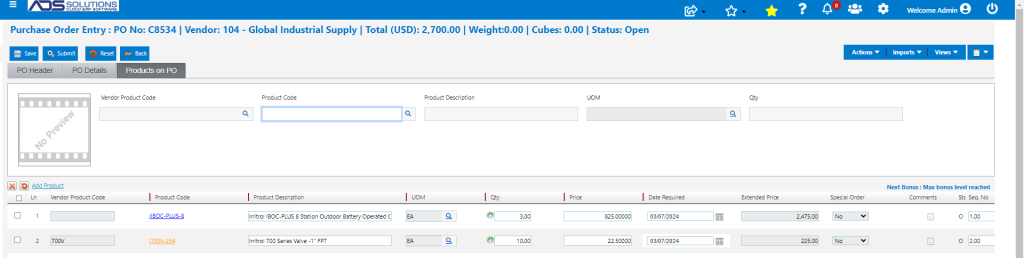
- Submit PO, then Receive PO C8534
- Look up GL Posting
