
Accolent ERP allows a customer’s credit terms to be specified as COD, requiring that payment in full be made upon delivery. When an order with COD terms is shipped, full payment will be required to invoice the transaction. Similarly, when an immediate invoice is created for this customer full payment will be required to complete the transaction.
Setting up a COD Credit Status
- COD has to be set up not as a Payment Term, but as a Credit Status, this will ensure that payment is required when an order is shipped.
- If COD is set up using Payment Terms, the Invoice will be due immediately, but user will not be forced to take payment upon shipment.
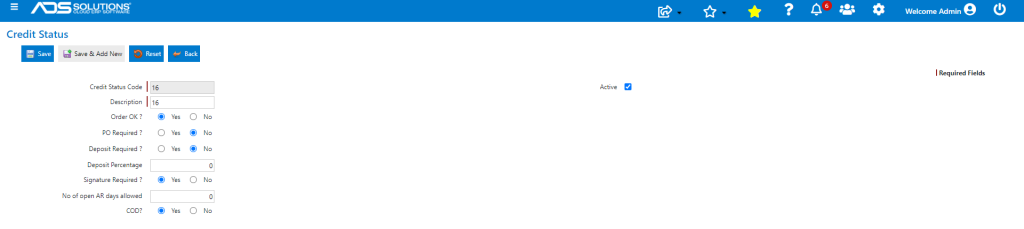
- To set up COD Credit Status, go to Settings > Value Lists (A-L) > Credit Statuses,
- Set Credit Status to require COD
Customer COD Credit Status
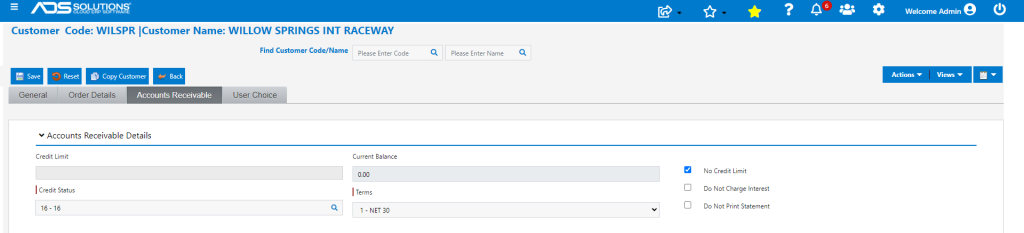
- Customer WILSPR has credit status of COD
Enter a Two-Step Order
- Create Order 66044 for Customer WILSPR and move to fulfillment.

- Click Move to Invoice.
- Warns that full payment is required
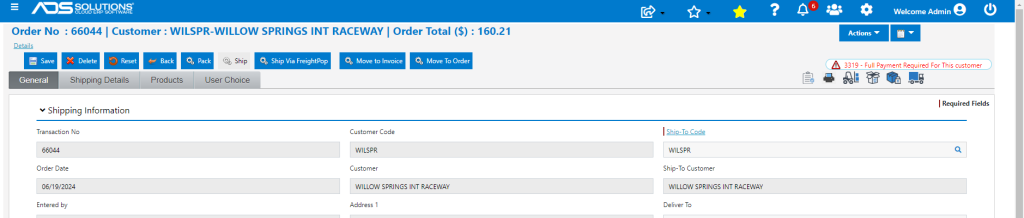
- Cannot invoice the transaction without taking payment in full.
- After payment is taken in full, transaction can be invoiced.
Enter an Immediate Invoice
- Similarly, enter an Immediate Invoice for this customer that will be filled immediately.
- An Immediate Invoice is typically used for over-the-counter transactions which are generally COD transactions.
- Click on Move to Invoice, warns that full payment is required.
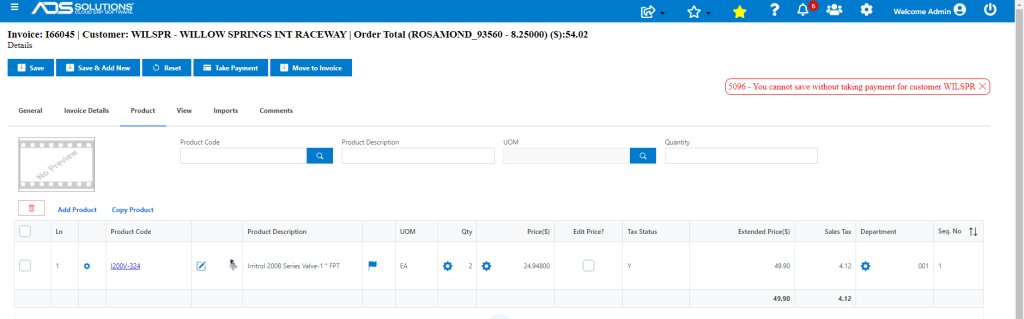
- As with the two-step order, cannot invoice the transaction without taking payment in full.
- After payment is taken in full, transaction can be invoiced.