
The Harmonized Tariff Schedule of the United States (HTS) is based on the international Harmonized System, which is the global system of nomenclature applied to most world trade in goods. HTS sets out the tariff rates and statistical categories for all merchandise exported from or imported into the United States. HTS Schedule B Codes are 10-digit codes that apply to exports and are maintained by the U.S. Census Bureau instead of the ITC. HTS Codes apply to imported goods and are used by U.S. Customs and Border Protection (USCBP) to determine import duty rates. The overall HTS rate applicable is made up of several components which will be summed to get the Total HTS Import Rate.
Configuration Setting
- The HTS Import Duty setting will be set to N as default, set it to Y to use.

Value List for HTS Components
- Value List shows HTS Codes and total rate.
- The HTS Code and its related total import duty rate can be assigned to products.
- If the value list is updated, the product will show the updated total rate.

Assign HTS Codes and Rates to Products
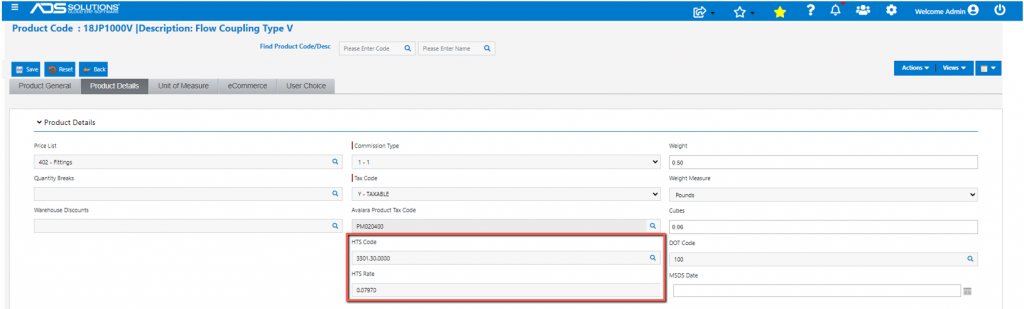
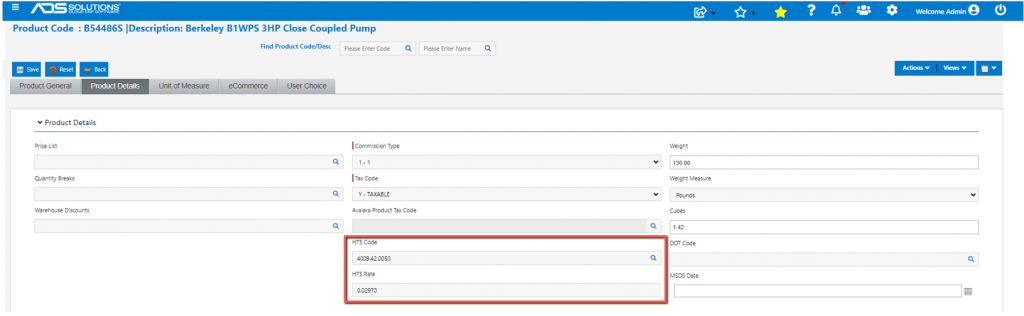
- With the Config setting as Y, the HTS Code and Rate fields show up on the product master.
- Assign an HTS Code to each product subject to Import Duty.
- ADS Solutions can import a spreadsheet of HTS Codes and assign to Products if required.
- Product 18JP1000V.
- Product B54486S.
Create and Submit PO for Products Subject to Import Duties
- Now create a PO C5884 for purchase of these goods from Vendor 104:
- 40 CS x 18JP1000V HTS Code = 3301.30.0000, and
- 5 EA x B54486S HTS Code = 4009.42.0050.
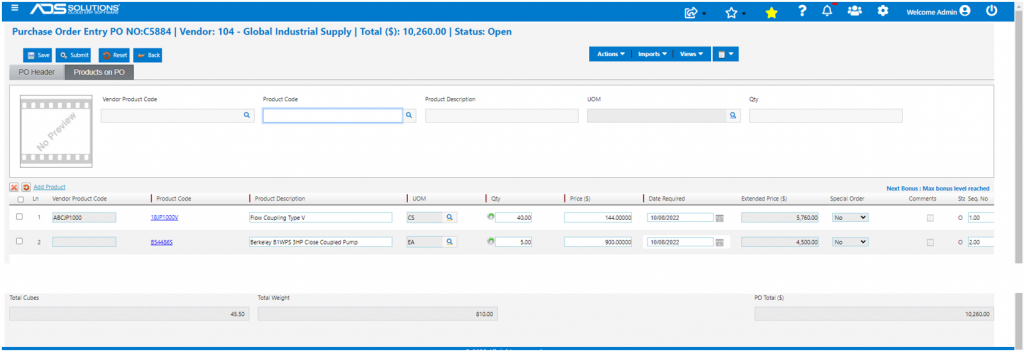
- Submit PO.
Receive PO
- Now Receive PO C5884, which shows 4 HTS-related columns.
- The “HTS?” checkbox is selected by default for all lines if the HTS Config setting is enabled.
- Select Auto Receive and if HTS? is checked, the Import Duty will be calculated.
- Total Cubes = 26.30 Cu Ft and total weight = 810 Lbs.
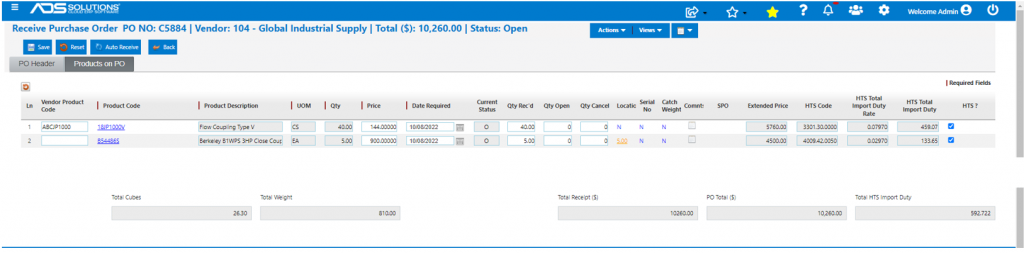
- Save brings up the Landed Cost Allocation screen.
- The “Import Duty” will be set up as a Landed Cost.
- All Landed Costs must be assigned to a valid Inventory Vendor in the system.
- Set up an Inventory Vendor (e.g., USCBP) for the HTS charges; the Allocate By field for HTS charges is managed by the system.
- Add a landed cost for Vendor UPS for Freight with amount of $1020.00 and Allocate by Weight.
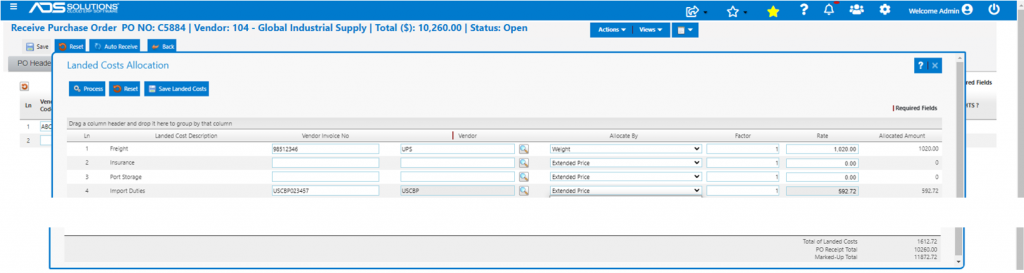
- Total Import Duty 459.07 + 133.65 = 592.72.
- Total Landed Cost = Import Duty Total + Freight Total = 592.72 + 1,020.00 = 1,612.72.
- Marked up Total 1,612.72 + 10,260.00 = 11,872.72.
- Now Process Landed Cost screen.
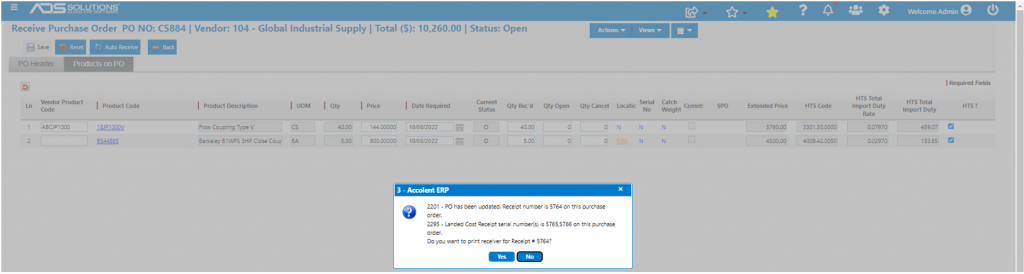
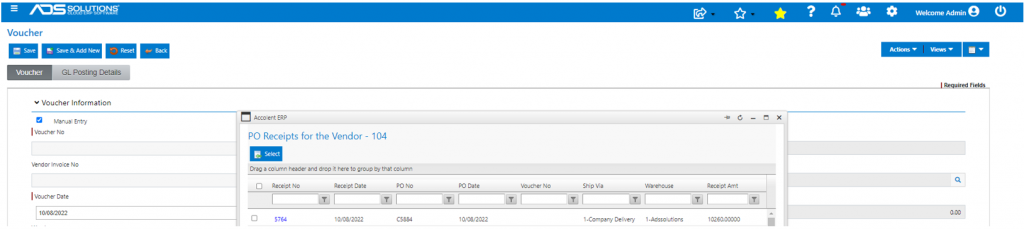
- Created Receipt 5764 for Vendor 104.
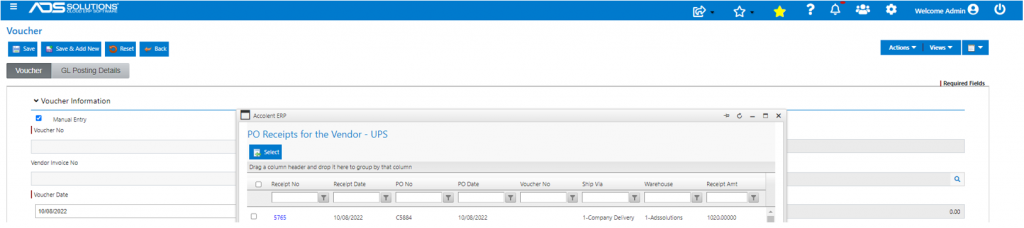
- Created Receipt 5765 for UPS.
- Created Receipt for 5766 for USCBP.
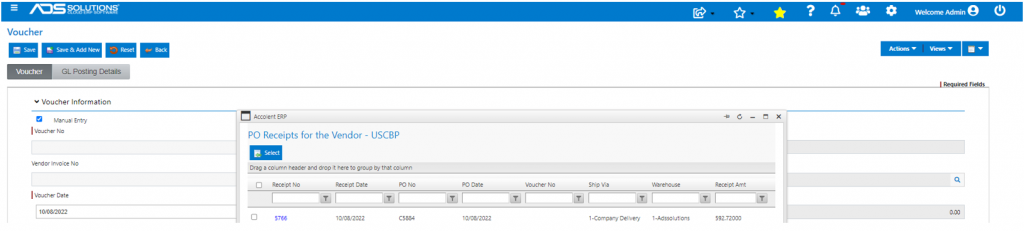
- Using these receipts, vouchers can be made to pay the vendor of the goods and each of the landed cost vendors.
Landed Cost Included in Average Cost
- PO Receipt updated the Average Cost of each product.
- Look up 18JP1000V.

- Verify calculations:
- Beg Ext Avg Cost = 5,031 EA x 19.13584 = 96,272.41.
- PO Cost = 320 EA x 18 = 5,760.00.
- Import Duty = 5,760 x 0.0797 = 459.07, and Allocated Freight = 160 LB / 810 LB x 1,020.00 = 201.48; so total Landed Cost = 459.07 + 201.48 = 660.55.
- Ending QOH = 5,031 EA + 320 EA = 5,351 EA.
- Ending Avg Cost = (96,272.41 + 5,760.00 + 660.55) / 5,351 = 19.19136.
- Look up B54486S.

- Verify Calculations
- Beg Ext Avg Cost = 35 EA x 1,028.59195 = 36,000.72.
- PO Cost = 5 EA x 900 = 4,500.00.
- Import Duty = 4,500 x 0.0297 = 133.65, and Allocated Freight = 650 LB / 810 LB x $1,020.00 = $818.52; so total Landed Cost = 133.65 + 818.52 = 952.17.
- Ending QOH = 35 EA + 5 EA = 40 EA.
- Ending Avg Cost = (36,000.72 + 4,500.00 + 952.17) / 40 = 1,036.32217.