
The Accolent ERP Self-Service Portal (“SSP”) allows Customers’ employees (“End-Users”) to place orders, review the status of their orders, look up their prior transactions, review their Statements and pay invoices. Typically, End-Users will select from the pre-configured shipping options, which can be based on third-party carriers and services. In addition, for Hawai’i-based users, there is a custom “Inter-Island” Shipping option that, if selected, will calculate and apply shipping on SSP orders based on a flat rate per cube.
Configuration Settings
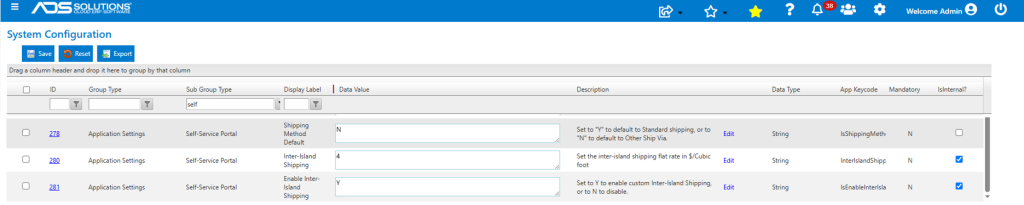
- There are 3 Configuration Settings that will first need to be set up.
- The SSP Shipping Method can be based either on the preconfigured Standard Shipping options or on the Other Ship-Via options set up in Accolent ERP. Configuration ID 278 sets the default option that appears, but this may be overridden by End-Users.
- Configuration ID 280 sets the flat rate in dollars per cube for Inter-Island shipping.
- Configuration ID 281 enables the custom Inter-Island Shipping option.
- Once Inter-Island Shipping is enabled, it appears in the Ship Via Value List as Active and with the Web Display flag set to Y.

Create an Order in the Self-Service Portal
- Log in to the Self-Service Portal and create an order.
- Item EUM1155 has Total Cubes of 11.28 cubic feet.
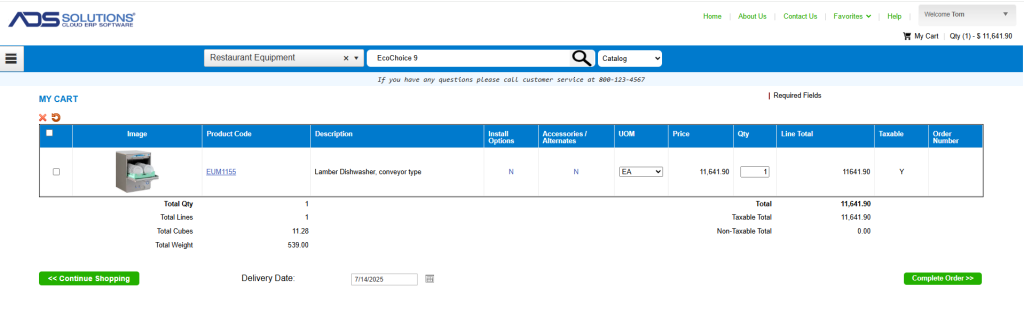
- The default setting for Shipping Method on Config ID 278 is set to Other Ship Via.
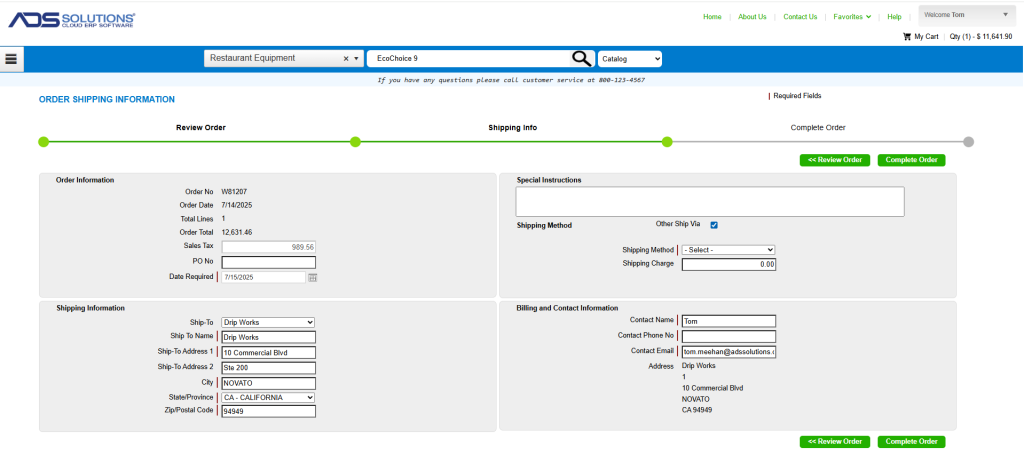
Select Inter-Island Shipping
- Select the Inter-Island Shipping option from the dropdown list.
- The Shipping Charge defaults to $45.12 using the flat rate per cube set in the Configuration Settings screen.
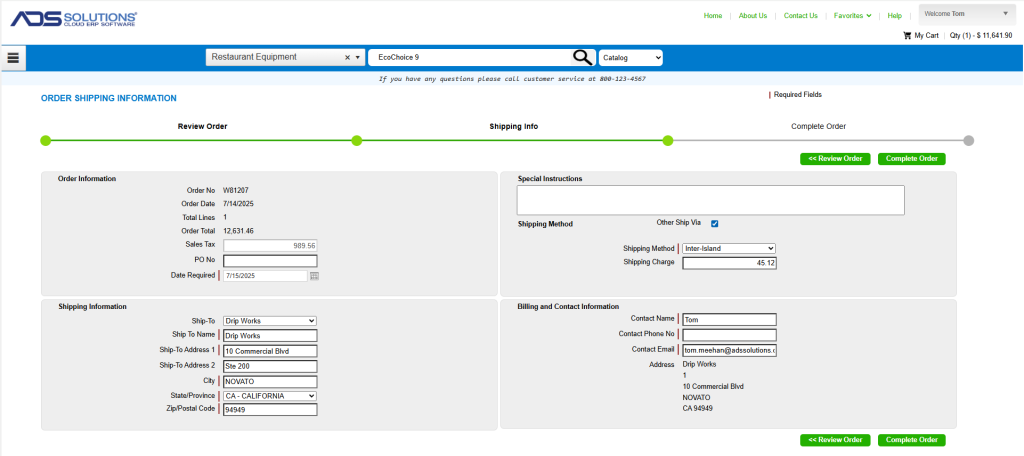
- The order can now be completed, and includes $45.12 for shipping by Inter-Island barge.