
Accolent ERP allows the entering of an overpayment of an invoice and creating a negative write-off on the payment receipt. However, it is not good business practice to, in effect, “create” income at the time of payment receipts, and so this option should be used with care. If a Customer overpays a specific invoice, this could be to address an error on the invoice or could be a payment error. If the overpayment is to address an invoice error, the better solution is to unconfirm, correct and reconfirm the invoice and then take the payment against the corrected invoice. If the overpayment is the result of a payment error, the better solution is to take payment for the correct amount of the invoice, and to record the overpayment as Unapplied Cash on the Customer’s account.
AR Balance
- Invoice 65863 dated 6/13/24, has an Amount Due of $270.24.
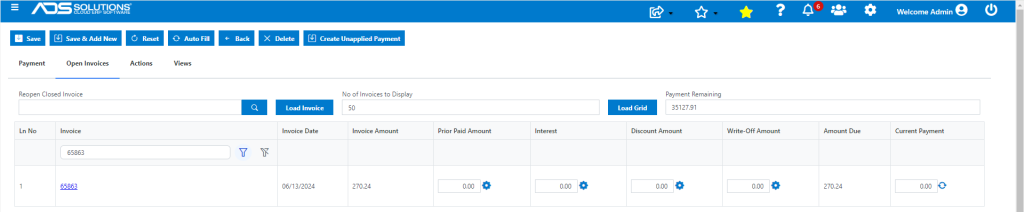
Take Overpayment with Negative Write-Off
- Take payment of $271.24 and write-off excess to GL Acct 430-00 Miscellaneous Income.
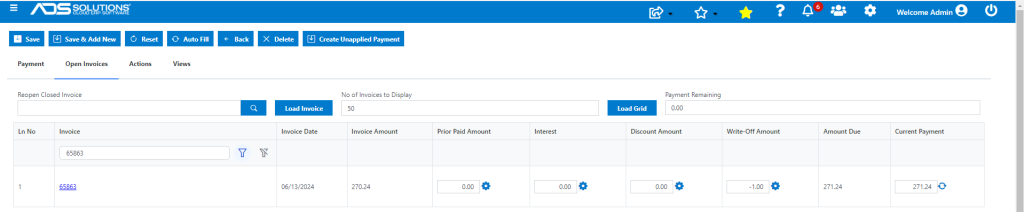
- Enter Write-Off which will default in for -$1.00 (i.e., the amount of the overpayment).
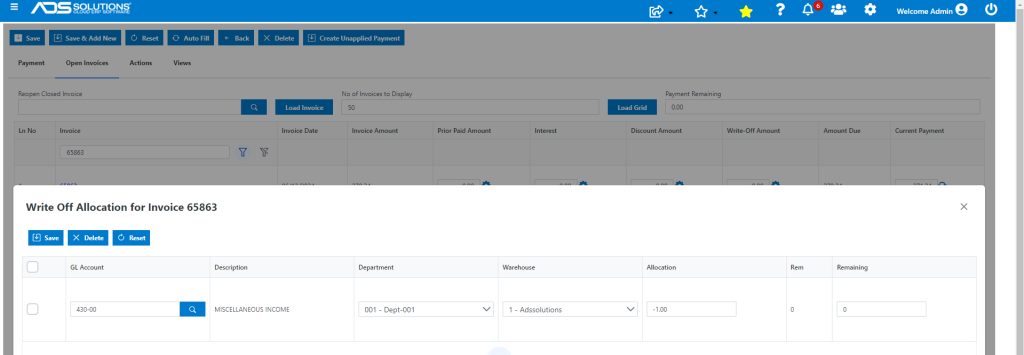
- Save to create Payment Receipt.
GL Posting
- The GL Posting will credit Miscellaneous Income for the overpayment.
