
Accolent ERP has comprehensive functionality to receive payments and then, if needed, to void payments that were previously received. Payments in cash or by check that have been deposited and accepted by the Bank, cannot be voided. Payments by credit card may be either voided or refunded depending on whether the credit card transaction has settled or not.
Create Invoice and Take Payment
- Create invoice I66043 for Customer 011.
- Take payment 19785 for $98.02 by check, as payment of the invoice in full.
- Invoice I66043 is now shown as fully paid.

Payment Receipt Created
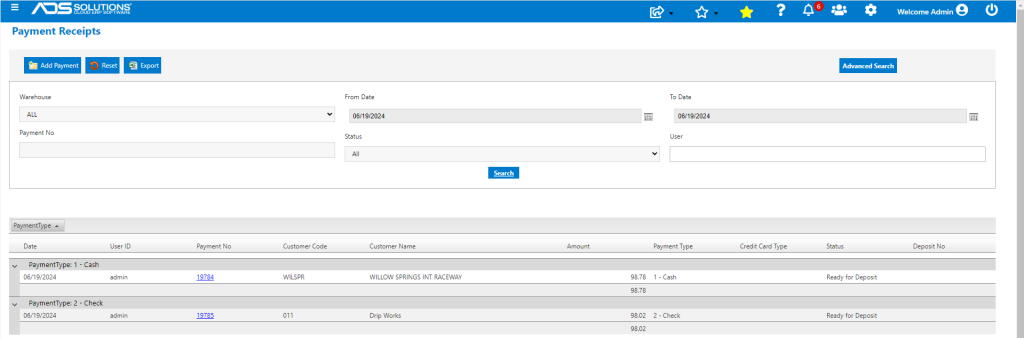
- Go to Receivables > Payment Receipts > List Payment Receipts.
- Payment receipt 19785 has status of Ready to Deposit.
Void Payment Receipt
- Since payment receipt 19785 has not been deposited, it may be voided if needed.
- Payment receipts that have been deposited may NOT be voided.
- To void the payment, click Add Payment and enter Customer Code.
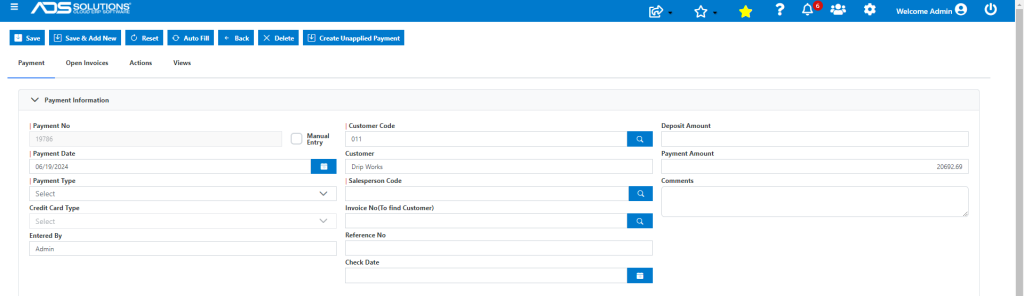
- Then click on Actions and select Void Payment Receipt.
- Add or lookup the Payment Receipt.
- Optionally charge a Service Fee if desired.
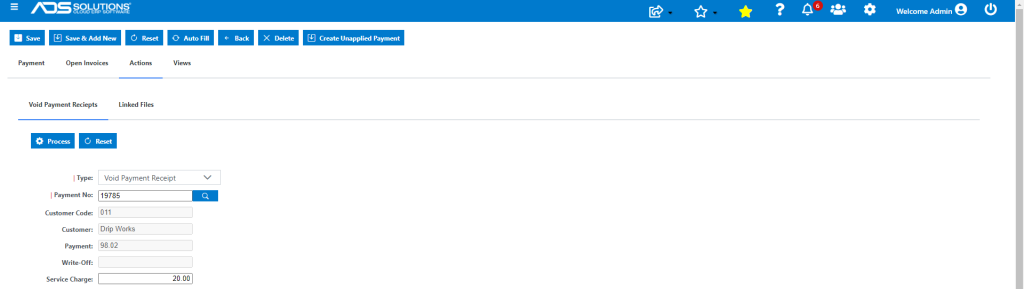
- Then Process to create the Void and Save.
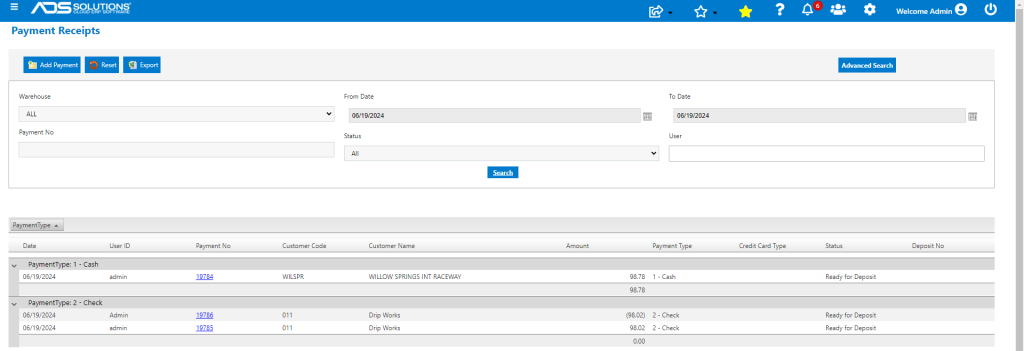
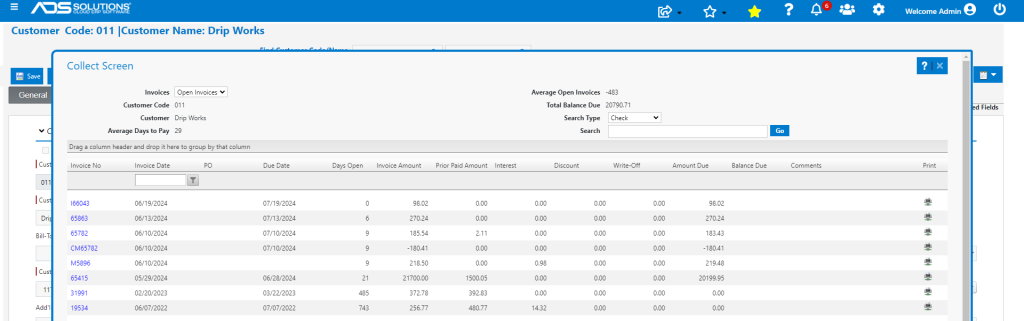
- The Customer’s collections screen now shows the invoice with an amount due.
Voiding or Refunding a Credit Card Payment
- Payments taken by Credit Card may be either voided or refunded depending on whether the transaction has already cleared or not.
- See this wiki: Integrated Payment Voids & Refunds.
Customer Refunds
- If goods are returned, a Credit Memo can be created.
- Then the Credit Memo can be paid using the Customer Refund functionality.
- See this wiki: Creating a Customer Refund.