
Accolent ERP creates Vouchers to pay Vendor Invoices. Vouchers get the due date, and discount date from terms set on the Vendor master. These default terms may be overridden Voucher by Voucher but will not update the Vendor master. Once created, Vouchers are displayed on the List Vouchers screen.
Managing AP Vouchers
- Go to Payables > Vouchers > List Vouchers to see a list of entered Vouchers by selected date range.
- The grid shows the Vouchers by Vendor together with due dates and discount dates.
- Vouchers show the Voucher Amount, any Prior Payments, the Discount Amount based on the terms assigned the Voucher and the Balance Due.
Grouping AP Vouchers
- By default, the grid is sorted by Voucher Date, but the List Vouchers screen may be grouped and sub-totaled by any column in the grid.
- For example, group the list by Vendor.
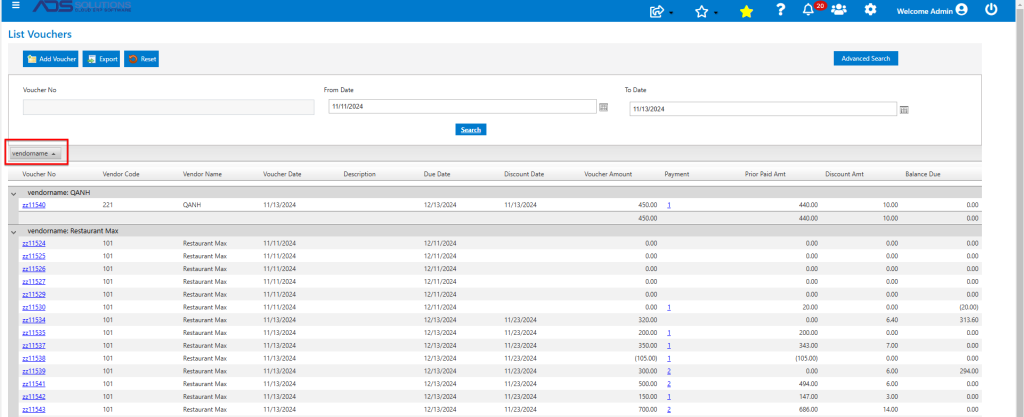
- Using this view the total for a particular vendor together with any discounts can be quickly verified.
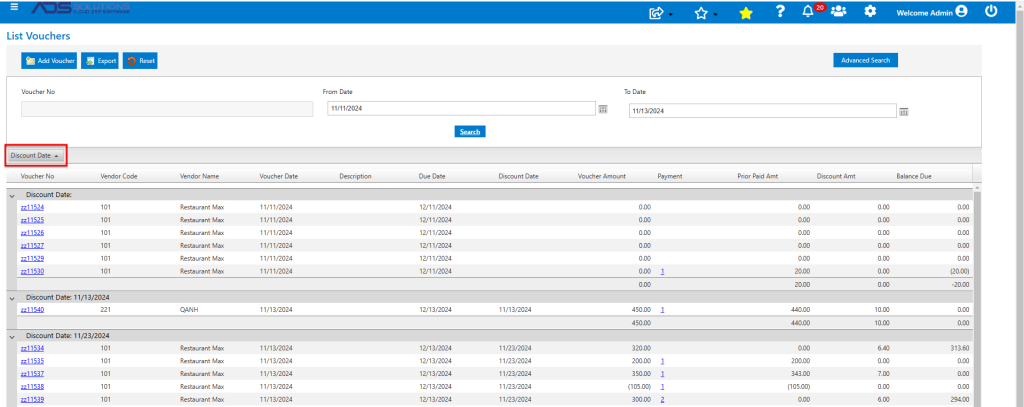
- Another possible use is to group by Discount Date to see which vouchers have expiring discounts.
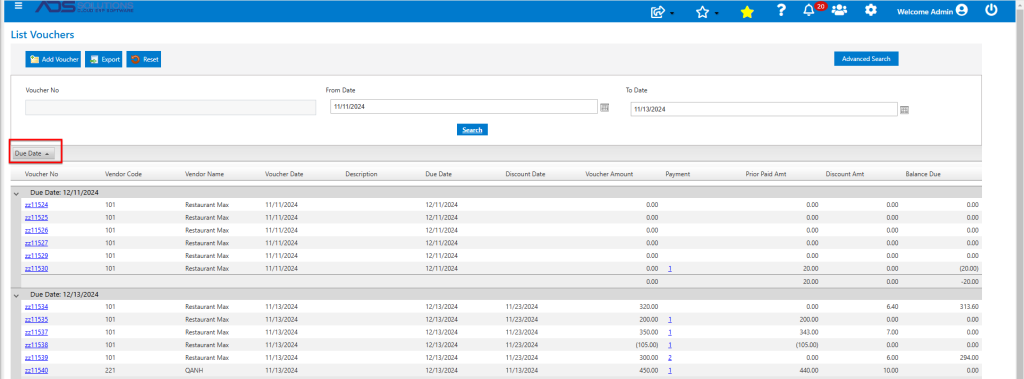
- Similarly, group by Due Date to see a list of Vouchers that need to be paid.
Sorting AP Vouchers
- The List Vouchers screen can be sorted by any column in the grid ascending or descending.
- This sorting capability can be helpful in selecting Vouchers for check runs, for example.