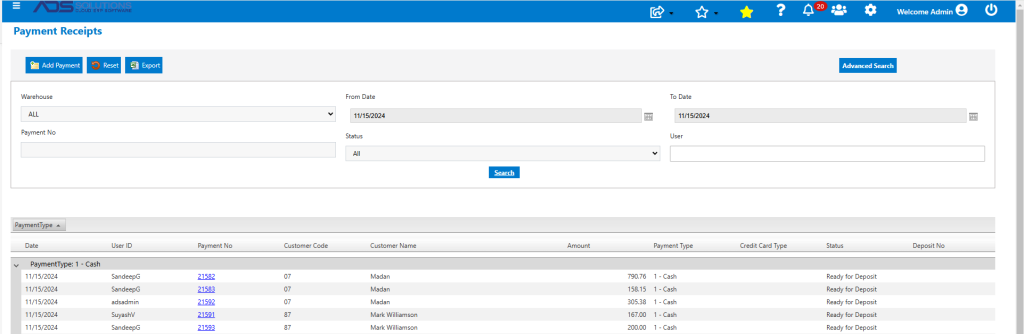
Accolent ERP allows Bank Deposits to be deleted, if required. When a Bank Deposit is deleted, the system will first automatically unpost this from the GL before deleting it. Deletion of the Bank Deposit will automatically release all the payments on the Bank Deposit back to status of Ready for Deposit.
Create Bank Deposit
- Go to Payment Receipts > Deposit Payment Receipts.
- Deposit to Bank 1, 5 payments 21582, 21583, 21592, 21591 and 21593, totaling $1,621.29.
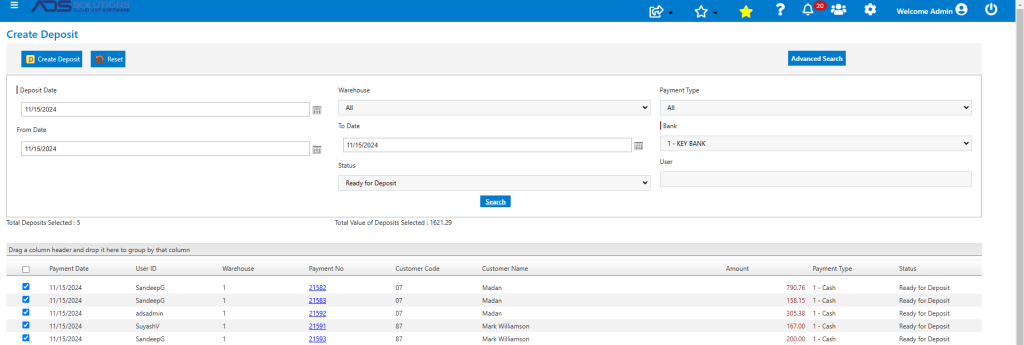
- Successfully created Bank Deposit D3748.
- This is the GL Posting for the creation of Bank Deposit D3748.

Delete Bank Deposit
- Go to General Ledger > Manage Bank Accounts > Bank Deposits > List Bank Deposits, to delete Bank Deposit D3748.
- When Bank Deposit D3748 is deleted, the system will first automatically unpost it from the GL, before deleting it.
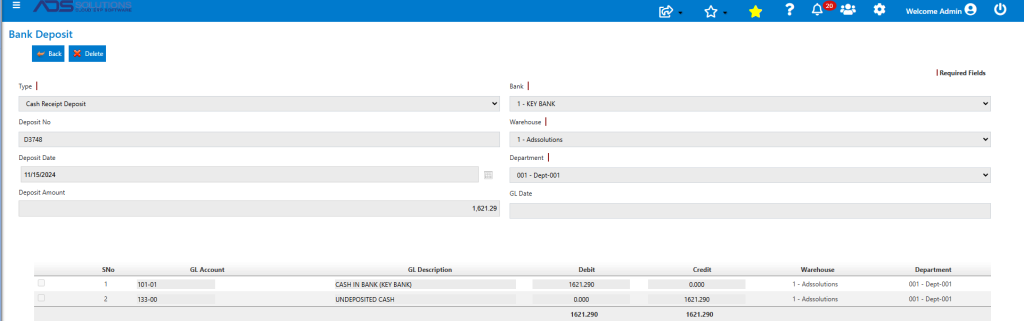
- Delete Bank Deposit D3748.
- Look up Bank Deposits – D3748 has been deleted.

- Payment Receipts: 21582, 21583, 21592, 21591 and 21593, now have the status of Ready to Deposit.