
Accolent ERP is delivered with a standard General Ledger Chart of Accounts using a pre-defined format for the GL Account numbers. The standard delivered GL Chart of Accounts is a simple account structure that can easily be modified as needed to add or delete accounts and to configure how the accounts roll-up to the financial statements. The delivered GL Account format is three numbers, a hyphen and two numbers (i.e., 120-00). You can either build on the standard GL Chart of Accounts or you can import your own GL Chart of Accounts with your own GL Account format.
Deleting the GL Chart of Accounts
- To import you GL Chart of Accounts data, you must first delete the standard delivered GL Chart of Accounts and the Warehouse GL Account Default entries
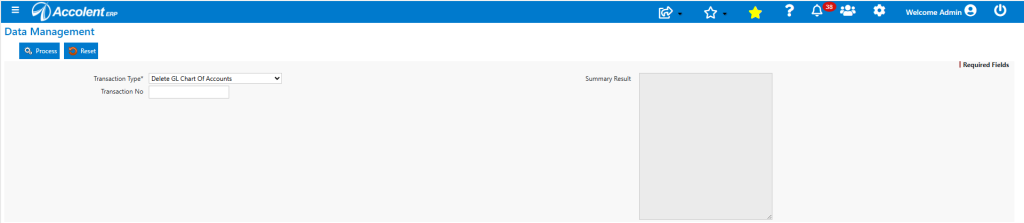
- Go to Utilities > Data Management
- From the Transaction Type dropdown menu select Delete GL Chart of Accounts
- Then click Process
Deleting Other Records
- This same screen gives options to delete single records or whole groups of records
- These deletions are done in the same way as deleting the GL Chart of Accounts
Password Protected
- You will be asked to enter a password
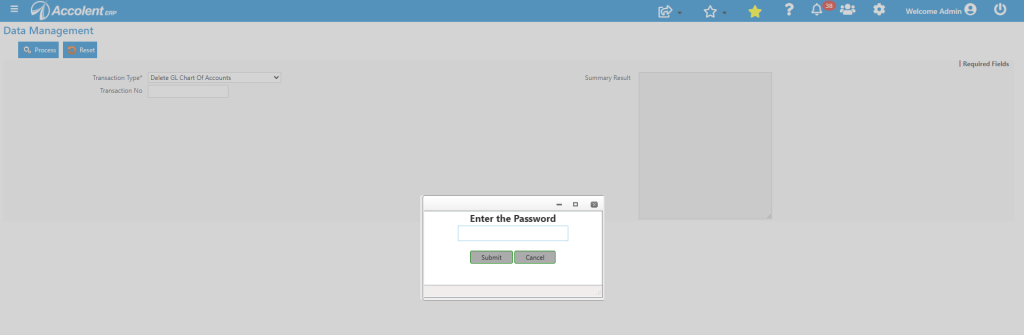
- The password is a safety precaution for the use of this screen, since once deleted, you will not be able to recover data
- Contact Support at ADS Solutions for the password – which should be shared only with great caution