
Accolent ERP allows entry of Payment Receipts which, typically, will be dated as of the date created; however, it is possible to back-date Payment Receipts, if desired. This might be needed, for example, if due to vacations or absences, there was a backlog of payment receipts that hadn’t been recorded when received. Payment receipts should not be backdated to a date prior to the dates of the invoices the payment receipts are related to.
Payment Receipt Date
- Look up open Invoices for Customer 011.
- Take payment on 4 invoices dated in May and June 2024, for a total of $13,431.27.
- Payment receipt 20138, defaults in current date of 7/12/24.
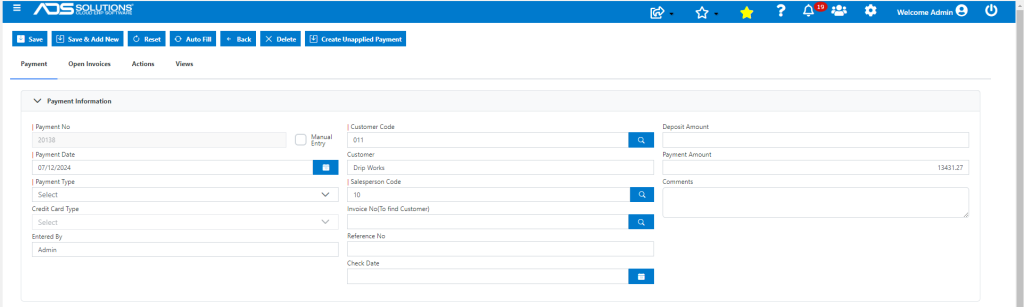
- Payment from Customer was actually received on 7/5/24 but not entered.
- Change the Payment Date to 7/5/24 and save the payment receipt.
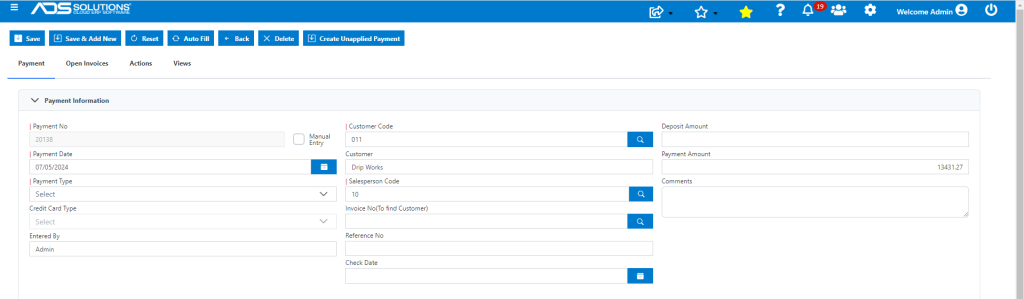
- The payment receipt 20138 is created as of 7/5/24 when payment was received.
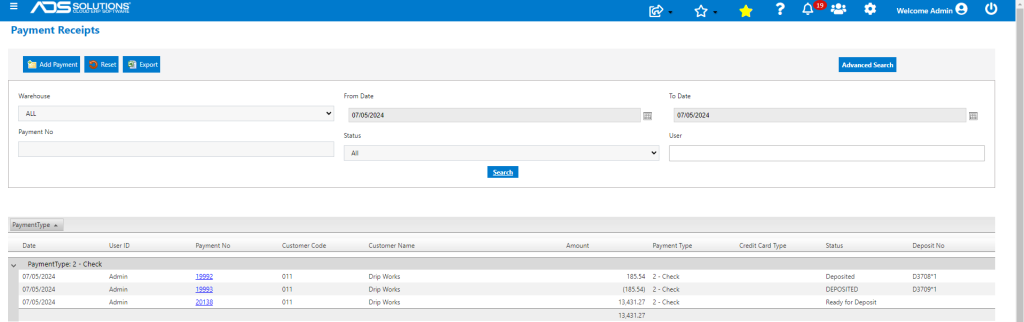
- The payment receipt is posted as of 7/5/24.
