
Accolent ERP allows users to enter Bank Deposits and Bank Charges. On the Bank Deposits and Bank Charges screens, the GL Account for Cash in Bank and the amount are defaulted respectively as a debit or credit. The user can select one or more offsetting GL Accounts to post too. Both screens work the same way.
Entering Other Deposits
- Go to GL > Manage Bank Account > Bank Deposits > Create Bank Deposit.
- Create D3825 for $58.00.
- Enter the description, for example “Insurance Refund.”
- The screen defaults in the Debit GL Account of Cash in Bank and the amount of $58.00.
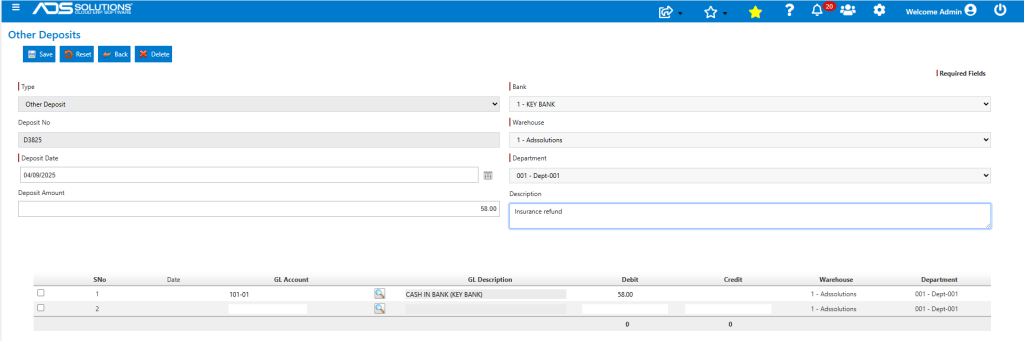
- The user can select and enter amounts for one or more Credit GL Accounts.
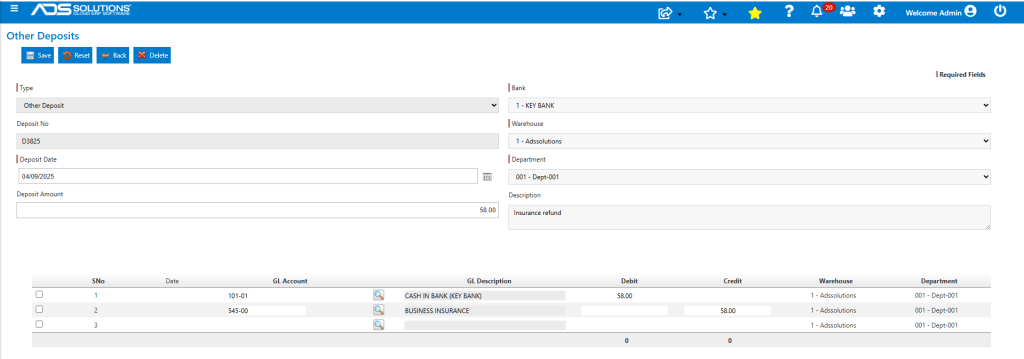
- When done click Save to create the Bank Deposit and post to the GL.

- This is the GL Posting of the Other Deposit through the Payment Receipts Journal.

Entering Bank Charges
- Go to GL > Manage Bank Account > Bank Deposits > Create Bank Charge.
- Create D3826 for $40.00 for a wire transfer fee.
- The screen defaults a Credit to GL Account Cash in Bank of $40.00.
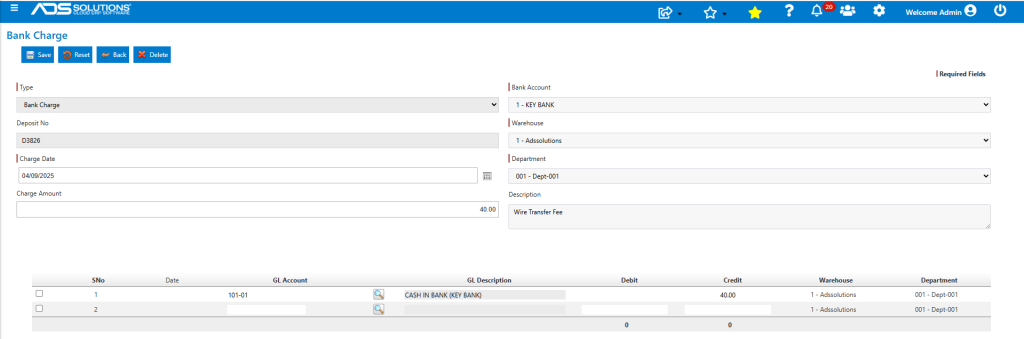
- Select one or more debit entries and Save.
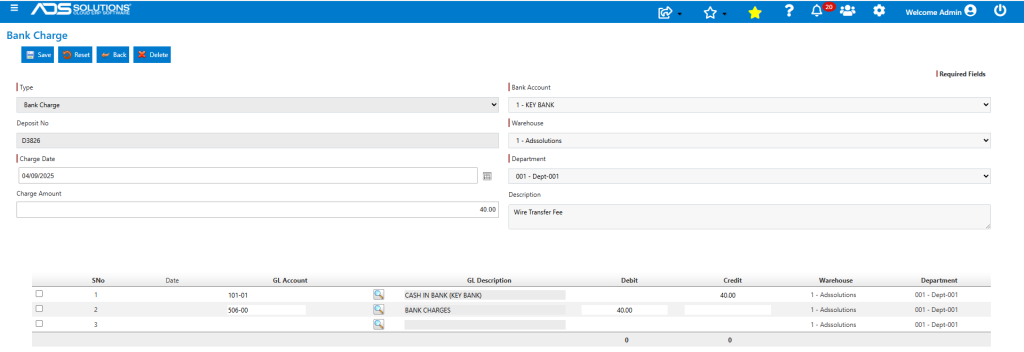
- This is the Bank Charge created.

- This is the GL Posting.
