Accolent ERP allows vouchers that have been created, but not yet paid, to be deleted. Unpaid vouchers can always be adjusted using Voucher Adjustments. In some cases, it may be easier to delete and recreate an unpaid voucher to correct errors or to link to a different PO and/or PO Receipts rather than use a Voucher Adjustment. When a voucher is deleted, the system will first automatically unpost it from the General Ledger – no action is required from the user – then once unposted, the system will delete it.
Create Voucher
- Create voucher ZZ11608 for vendor 104 for $4,570.
- Select PO No C10443 and PO Receipt 10419.
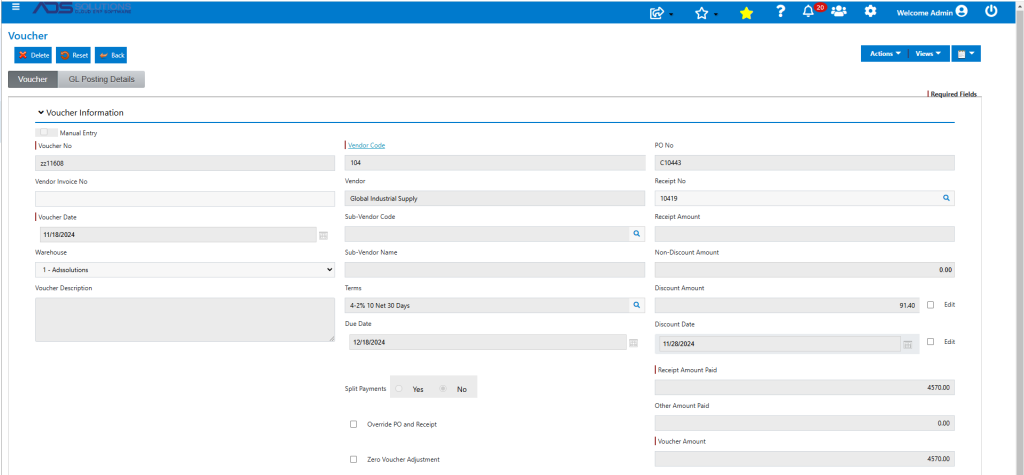
- The voucher ZZ11608 is created upon Save.
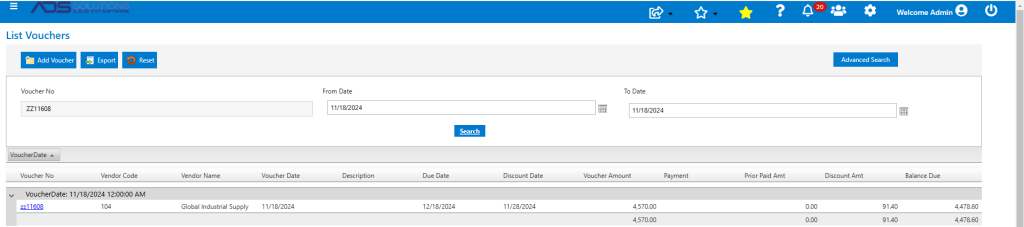
- Assume that the subsequent vendor’s invoice includes billing for both PO No C10443 and C10441.Rather than create another voucher for PO No C10441, user can elect to delete and re-enter the original voucher.
Delete Unpaid Voucher
- If a voucher needs to be amended, use a Voucher Adjustment.
- If a voucher needs to be corrected, it may be easier to delete then re-enter it.
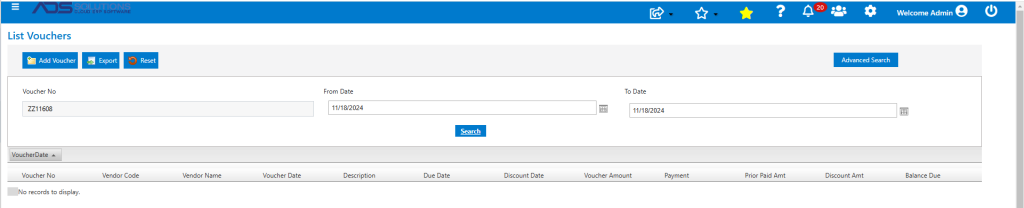
- To delete, open the voucher and click on the Delete button and the system will first unpost it from the GL then delete it.
- The voucher has now been deleted and the previously-selected PO and PO Receipt are released and can be selected on another voucher.
Re-enter Corrected Voucher
- Recreate voucher ZZ11608 and select PO Receipts 10419 (which has been released) and 10418 for POs C10443 and C10441 respectively.
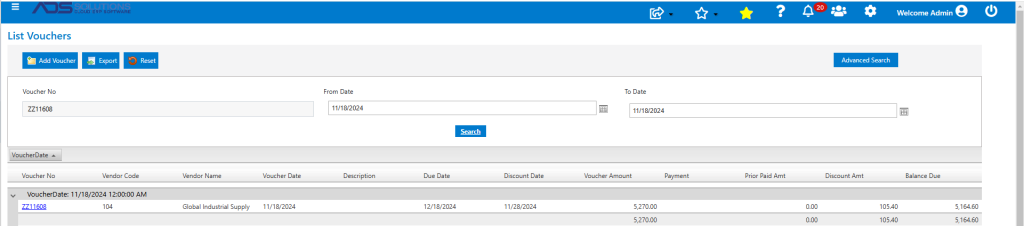
- Newly created voucher is now for $5,270 rather than $4,570 previously.
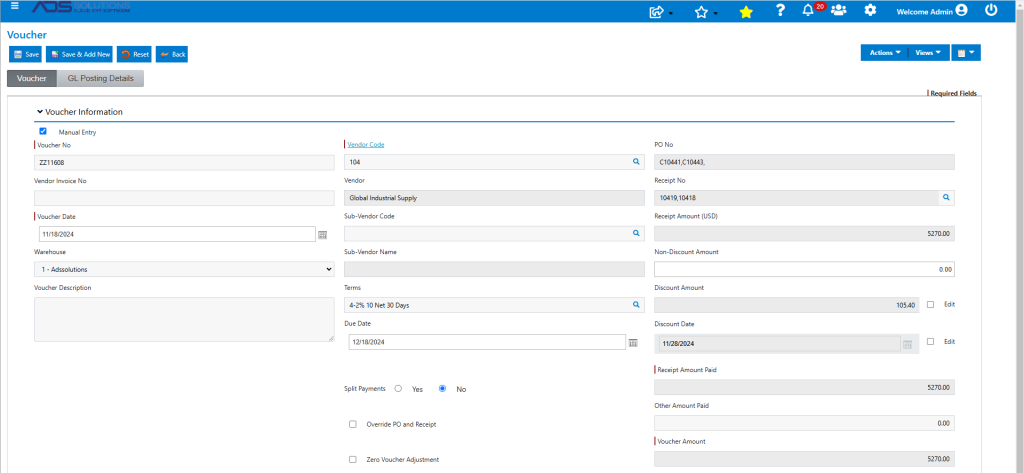
- The voucher has now been recreated with the same Voucher No to pay both PO Nos C10441 and C10443.