
Accolent ERP allows payment receipts with the status of Ready for Deposit to be selected and deposited to a Bank. Typically, the resulting Bank Deposit will be dated as of the date created; however, it is possible to create the Bank Deposit with a prior date, if desired.
Deposit Date
- Go to Receivables > Payment Receipts > Deposit Payment Receipts.
- Search for Payment Receipts with status Ready for Deposits.
- Select six payment receipts from 7/2/24 totaling $3,044.26.
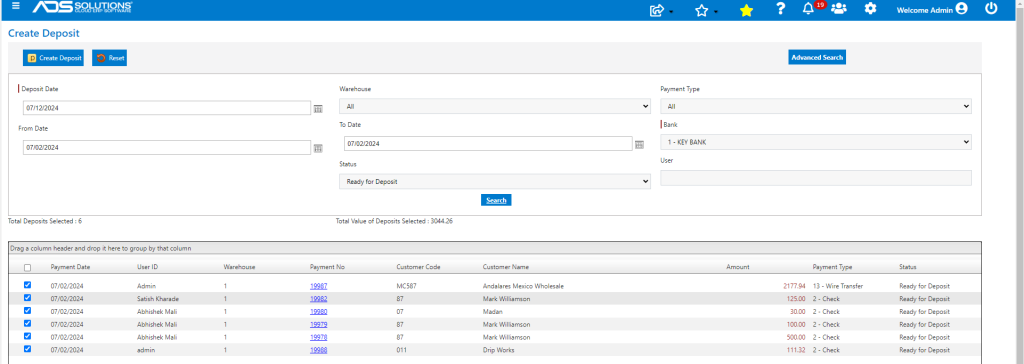
- Typically, the Bank Deposit would be made as of today 7/12/24, however, this can be backdated.
- Create Deposit and set Deposit Date as 7/5/24.
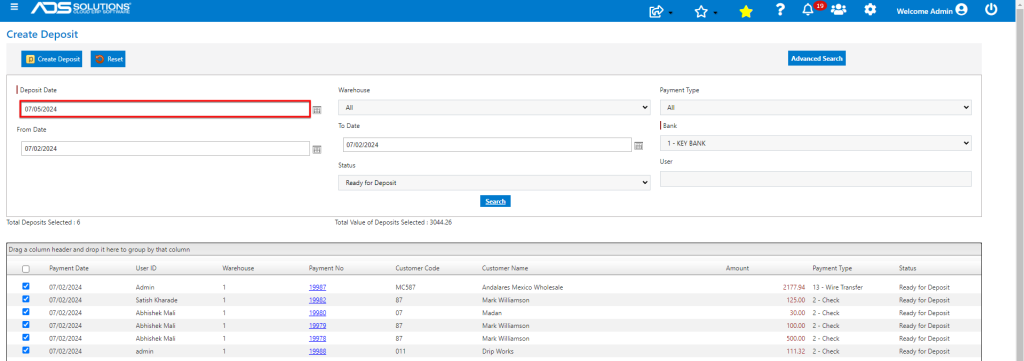
- Created D3724 as of 7/5/24.
List Deposits
- Look up General Ledger > Manage Bank Account > List Deposits.
- Created D3724 dated 7/5/24.

GL Posting
- Created GL Posting as of 7/5/24.
