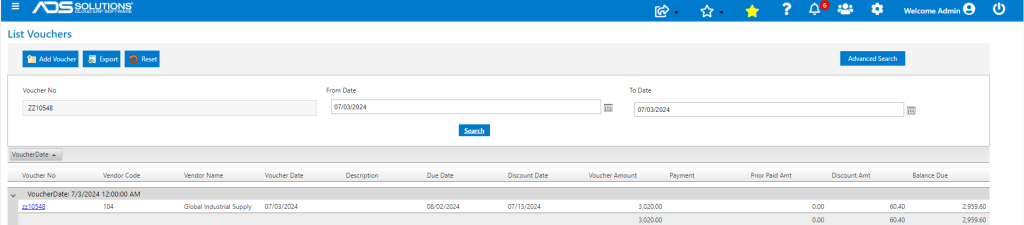
Accolent ERP allows multiple Landed Costs entries to be made at the time of PO Receipt. Typically, if there are charges for freight or handling that were not on the original PO, these would be addressed by creating Landed Cost entries for these additional items at the time of the PO Receipt. Each Landed Cost item entered should be for a valid vendor and generates its own receipt. By pulling up a vendor and selecting the appropriate receipt, each added Landed Cost item can be paid. However, if Landed Costs were not entered at the time of PO Receiving, and the vendor prepaid these charges, it is still possible to pay the vendor’s invoice that exceeds the PO Receipt as detailed below.
Receive the PO
- Receive PO C9301 for $2520 entered for vendor 104, an Inventory Vendor.
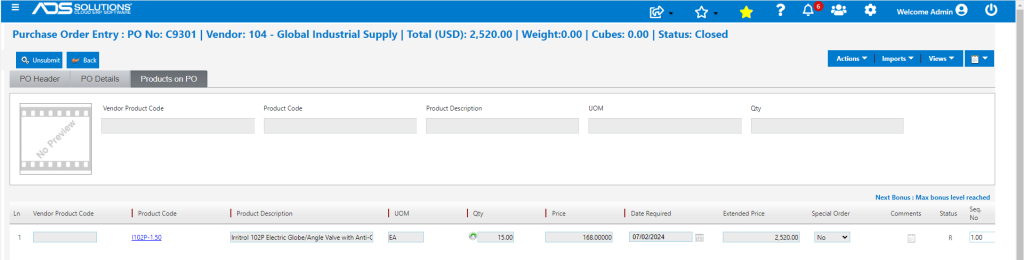
- No Landed Costs were entered or processed at the time of the PO Receipt.
- If Landed Costs had been entered, separate Receipts would be created for each Landed Cost and linked to the PO.
- Subsequently the vendor invoice is received for $3020.00 including additional freight/handling charges of $500 paid by vendor.
- Create a voucher to pay the vendor.
- Because this is an Inventory Vendor, select a PO and one or more receipts related to the PO.
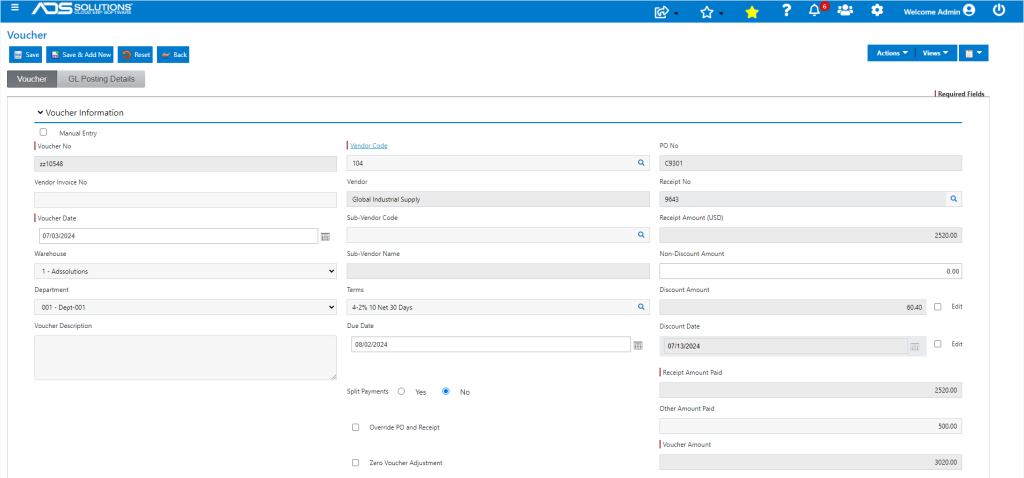
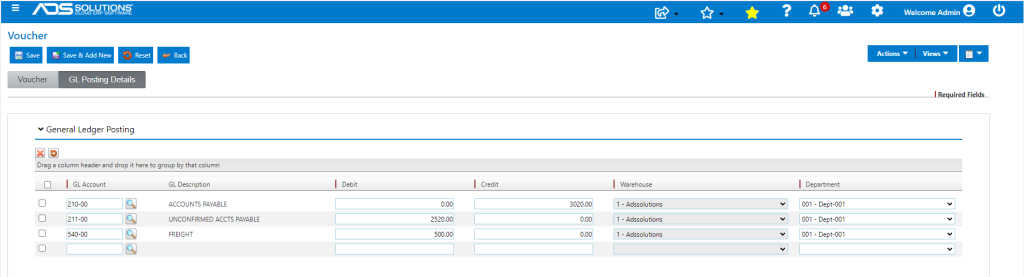
- Once you select the PO and the Receipt(s) the total amount of the Receipt(s) will auto populate the Invoice Amount and the GL posting to debit Unconfirmed AP and credit AP.
- To pay the amount of $500.00 greater than the PO Receipt that is not covered by a Landed Cost receipt, do the following:
- First, add a new GL Account row to debit the excess to (in this case 540-00 Freight Expense).
- Then add $500 as Other Amount Paid.
- Then allocate this to the Freight Expense account.
- When saved, the voucher will be created for $3,020.
- The voucher is now created for $3,020, and the voucher is now available to be paid.